MakeUGC Review (2026): AI UGC Ad Plans and Credits Compared
We may earn a commission when you buy through links on our site, at no extra cost to you. Learn more

Quick answer
MakeUGC suits ecommerce brands, agencies and affiliate marketers who want to produce many short creator-style video ads from a product image and a script, using one credit balance across several video models. Start with the Growth plan if you need HD export and parallel jobs. Skip it if you want a free tier or need a refund once the first month has passed.
MakeUGC is an AI platform for making user-generated-content style video ads: a talking AI actor holds or demonstrates your product and speaks a script, with no filming and no creator contracts. The question for most buyers is whether the credit-based plans give enough output for paid social testing and what happens if the ads do not work out.
We compared MakeUGC's own pages, plan tables and refund policy with third-party roundups that mention it. We did not test the platform ourselves, and the performance numbers on its site are vendor-reported.
Below you will find the features, the three plans, the refund rules in plain terms, and who should look at a different AI video tool.
Our Top Picks
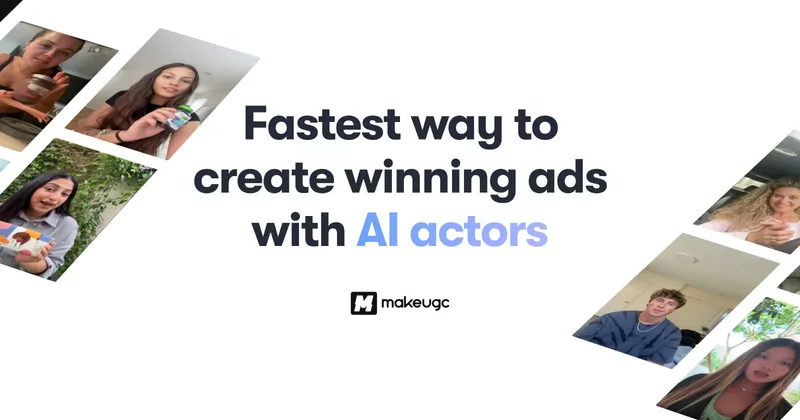
MakeUGC6.5/10
A credit-based studio that makes talking-actor ads, product-in-hand videos, image ads and B-roll, with an API included on every plan.
Read our full take ↓1. MakeUGC — AI UGC Video Ads From a Product Image
Best for: Ecommerce brands, agencies and affiliate marketers who test many ad variations
What we like
- Many formats in one tool: talking actors, product in hand, ad remakes, B-roll and image ads
- Batch Mode makes 10 variations at once, useful for hook testing
- One credit balance covers several third-party video and image models
- API and MCP server included on every plan, according to MakeUGC
Keep in mind
- No free tier, and the entry offer is a paid $1 trial that renews at the regular price unless cancelled
- Refunds are tight: full refunds only within three business days, and plans older than one month are non-refundable
- The pricing page gives credits, not a count of videos per plan, so cost per video is hard to predict
MakeUGC organises its product around ad formats. The Content Library holds proven UGC layouts where you add a product image and dialogue, Product in Hand places your item in an actor's hands, and Ad Remake rebuilds an existing ad with your product. The homepage lists more than 1,000 AI actors, but the plan table shows the number you actually get: 300+ on Starter, 500+ on Growth and 1,000+ on Pro. Output covers 50+ languages plus voice cloning.
The plans are credit-based. With annual billing shown, MakeUGC lists Starter at $29 per month with 500 credits and 720p export at most, Growth at $39 per month with 1,000 credits, HD to 4K export and 10 parallel video jobs, and Pro at $79 per month with 2,000 to 5,000 credits and unlimited parallel jobs. Monthly, quarterly and annual billing toggles exist, and MakeUGC shows discounts for the longer terms. Each plan can be started for $1, after which it renews at the regular price.
Third-party roundups describe variation generation as the most useful part for marketers and note that output depends heavily on the brief. They also advise reviewing multilingual output for translation quality and checking every draft for claims and product accuracy before it runs as an ad. MakeUGC's case studies, such as a 3.73x return on ad spend for one brand, are vendor-reported and not independently verified.
Skip it if you need a free plan to experiment, or if you want a generous refund window, because MakeUGC's policy limits full refunds to three business days.
What MakeUGC makes
MakeUGC started with UGC-style ads and now covers several ad and clip types under one subscription:
| Format | What it does |
|---|---|
| Talking Actors | An AI actor speaks your script on camera |
| Product in Hand | Shows your product held or used by an actor |
| Ad Remake | Rebuilds an existing ad around your product |
| Image Ads and B-roll | Static ads and supporting footage |
| AI Flows | Node-based canvas for chaining generation and editing steps |
MakeUGC says it bundles many third-party video and image models, with video options such as Veo 3.1, Kling and Seedance listed on its site, all drawing from the same credits.
Plan differences that matter
The differences that decide most purchases are export quality and parallel jobs. Starter exports at 480p and 720p with one video job at a time. Growth and Pro export HD, 2K and 4K, and Growth allows 10 parallel video jobs. Custom AI avatars are not included on Starter, with one on Growth and three on Pro.
Refund and trial rules
The $1 trial, the renewal at full price and the three-business-day refund window interact. A buyer who tries the trial, forgets to cancel and sees a charge after the trial ends may be outside the refund policy. Email [email protected] for any request, because MakeUGC says email confirmation is the binding record.
Using AI actors responsibly
Treat AI video as a drafting tool. Review scripts for claims you can support, check how each ad platform wants AI-generated content labelled, and do not present an AI actor as a real customer’s testimonial.
Alternatives
For a wider list of generators, including free options, see our best free AI video generator guide. If the spoken track matters most, ElevenLabs pricing explains what its voice plans include, and Speechify’s review covers a text-to-speech option. To turn long videos into short social clips with captions, our Quso.ai review explains its credit plans, and for static ad visuals our best AI image generator guide compares Midjourney, Ideogram and others.
Frequently Asked Questions
Does MakeUGC have a free trial?
There is no free tier. MakeUGC says each plan can be started for $1, and checkout shows the trial length and the renewal amount. The plan then renews at its regular price unless you cancel, so set a reminder before the trial ends.
What is MakeUGC's refund policy?
The policy, last updated September 4, 2025, asks you to request a full refund within three business days of purchase or renewal, and only if credits have not been substantially used. Under 50% of credits used may earn a 50% refund. The policy says no refunds after two weeks of active use, and plans older than one month are non-refundable.
How many videos do I get on each MakeUGC plan?
The pricing page lists credits per month (500 on Starter, 1,000 on Growth, 2,000 to 5,000 on Pro) but does not state how many videos that produces. Cost per video depends on the model and length you choose, so generate a few test clips and see how fast credits drop.
Can I use MakeUGC videos commercially?
MakeUGC's FAQ says you own what you generate and can use it commercially, without watermarks. Check each ad platform's rules on disclosing AI-generated content before you run the ads.
Does MakeUGC have an API?
Yes. MakeUGC says an API and an MCP server are included in every plan and use the same credits as the studio.
Final Verdict
MakeUGC is a reasonable pick for ecommerce brands, agencies and affiliate marketers who want to produce and test lots of creator-style ad variations from a single credit balance. Growth is the plan most testers will outgrow Starter into, because of HD export and parallel jobs. The weak spots are the lack of a free tier, no per-plan video count and a short refund window, so run a small test batch right after signing up and cancel before renewal if the output does not fit.
Sources We Checked
Specs and features in this guide come from these manufacturer pages and independent sources, checked on Oct 15, 2026.