Best AI Image Generator (2026): 7 Picks for Text, Art, Edits
We may earn a commission when you buy through links on our site, at no extra cost to you. Learn more
Quick answer
Midjourney suits people who want the most distinctive artistic results and will pay for a plan, while ChatGPT and Google Gemini are easier starting points because you edit by chatting. Ideogram is the pick when words inside the image matter, and Leonardo.ai is a good option for free daily experiments.
An AI image generator turns a written prompt into a picture, and the right one depends on whether you need art, readable text, editing tools or a free way to start.
We compared features, vendor documentation and user reviews for seven generators sold in the US, UK, EU, Canada and Australia. We did not test them ourselves, so every figure below is attributed to the vendor or to the source we found it in.
Below you will find the seven picks, a comparison table we compiled, common complaints, scenarios, and an FAQ. Plans and credit systems change often, so confirm current limits and prices on the vendor pages.
Our Top Picks
Midjourney7.3/10
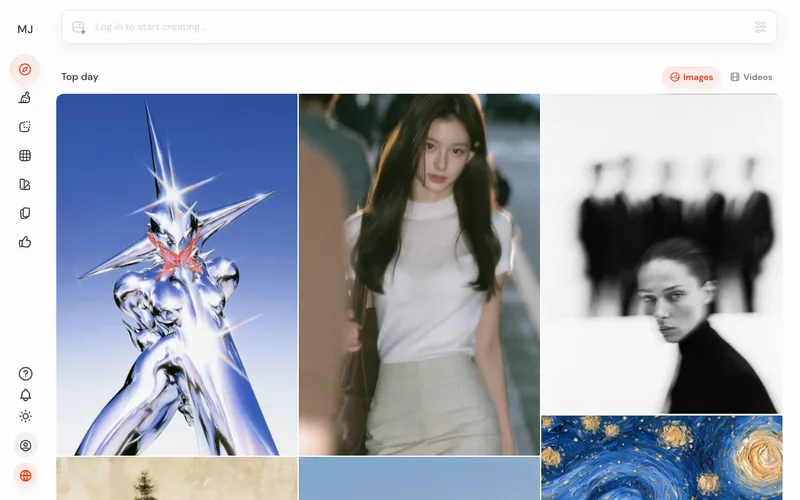
Midjourney is a subscription image generator with a web app, an editor and personalization profiles, aimed at people who want a distinct visual style.
Read our full take ↓
ChatGPT Images7.8/10
ChatGPT can create and edit images inside a chat, with limited use on the free plan and more on paid plans.
Read our full take ↓
Adobe Firefly7.8/10
Adobe Firefly generates images, vectors and more using generative credits, with Adobe stating its first model was trained on licensed and public-domain content.
Read our full take ↓- MidjourneyBest for Stylized, Artistic Images7.3
- ChatGPT ImagesBest for Conversational Editing7.8
- Adobe FireflyBest for Commercial-Safe Workflows7.8
- Leonardo.aiBest Free Daily Allowance With Pro Tools7.8
- IdeogramBest for Text Inside Images7.5
- Google GeminiBest Free Option Inside Google Apps8.0
- getimg.aiBest Multi-Model Workspace for Budget Plans7.0
| Product | Our score | Best for | Link |
|---|---|---|---|
| Best for Stylized, Artistic Images Midjourney | 7.3 | Designers, illustrators and creators who care most about artistic look | Check Midjourney |
| Best for Conversational Editing ChatGPT Images | 7.8 | Anyone who already uses ChatGPT and wants to describe, tweak and iterate in plain language | Check OpenAI |
| Best for Commercial-Safe Workflows Adobe Firefly | 7.8 | Designers and teams already working in Adobe apps who want IP-conscious tooling | Check Adobe |
| Best Free Daily Allowance With Pro Tools Leonardo.ai | 7.8 | Hobbyists and small studios who want free daily experiments and a path to paid features | Check Leonardo.ai |
| Best for Text Inside Images Ideogram | 7.5 | Marketers and designers making posters, logos and social graphics that need words | Check Ideogram |
| Best Free Option Inside Google Apps Google Gemini | 8.0 | People who want free image generation and editing and already use Google accounts | Check Google |
| Best Multi-Model Workspace for Budget Plans getimg.ai | 7.0 | Creators who want to try many models under one subscription | Check getimg.ai |
1. Midjourney — Best for Stylized, Artistic Images
What we like
- The web app includes an Editor with Remix, inpainting (Vary Region), Pan and Zoom Out
- Personalization profiles let you tune results toward your taste after rating images
- Four plans, so heavier users can scale up
- Can animate images into short videos, which the docs describe as 5 seconds
Keep in mind
- Midjourney's docs say no free trial is available on the website or Discord
- Fast GPU time is metered by plan, so busy months can run out
- Learning to prompt and manage versions takes time compared with a chat box
Midjourney sells four paid tiers: Basic, Standard, Pro and Mega. Its plan comparison lists 3.3 hours of Fast GPU time a month on Basic, 15 on Standard, 30 on Pro and 60 on Mega. Relax mode, which queues jobs at a slower pace without using Fast time, is listed for Standard and above, and Midjourney's docs say companies with more than one million US dollars in annual gross revenue must use Pro or Mega.
The tool lives at midjourney.com, where you create images, build Personalization profiles and use the Editor. The docs name V8.2 as the current default version. The Editor handles Remix, inpainting through Vary Region, Pan and Zoom Out, and the docs describe turning images into 5 second videos. Midjourney's help pages say a limited free trial exists only in the niji journey mobile app, not on the website or in Discord, so you commit to a plan before you see your own results.
Check the current price on the Midjourney plans page before subscribing, because the company says some of its pricing is experimental and can change.
Skip it if you want a free tier, a simple chat prompt, or precise control over text inside images.
2. ChatGPT Images — Best for Conversational Editing
Best for: Anyone who already uses ChatGPT and wants to describe, tweak and iterate in plain language
What we like
- Describe changes in follow-up messages instead of learning a new interface
- OpenAI's pricing page lists image generation on Free (limited), Plus and Pro
- Lives inside an app many people already pay for
- The API docs say GPT image models accept up to 16 images for edits
Keep in mind
- OpenAI publishes no clear numeric image cap for Plus, so the limit shows up in the app
- Community posts describe long waits after hitting limits, which are user reports and not policy
- Less granular style controls than a dedicated art tool
ChatGPT's image feature works as a conversation. You describe what you want, then ask for changes such as a different background or a new color palette. OpenAI's pricing page lists image generation as limited on Free, available on Plus and described as unlimited and faster on Pro, so how much you can make depends on your plan. OpenAI's release notes mention a September 2026 launch of ChatGPT Images 2.5 and say existing image limits stayed the same.
Because OpenAI shows no fixed number for Plus on its public pricing page, the practical limit appears in the app when you reach it. Community forum threads describe long reset waits for some Plus users, but these are individual reports. The free tier FAQ says limits can differ between text and image creation.
The API side is separate from the app. OpenAI's API documentation says you can supply up to 16 images for an edit, which matters if you build your own tool rather than use the chat.
Skip it if you need a free generator with predictable daily limits, or full control over seeds, styles and batches.
3. Adobe Firefly — Best for Commercial-Safe Workflows
Best for: Designers and teams already working in Adobe apps who want IP-conscious tooling
What we like
- Adobe says Firefly output is designed to be safe for commercial use
- Individual plans list monthly generative credits from 2,000 up to 50,000
- Paid Firefly plans list unlimited standard generations
- Ties into Adobe tools such as Photoshop and Express
Keep in mind
- Premium models spend credits quickly: Adobe's table lists 20 credits per Image 4 Ultra image
- IP indemnification is described for Firefly for Enterprise, not for every plan
- Credit amounts differ between older and newer Adobe help pages
Adobe describes generative credits as the currency for premium image, vector, video and audio outputs. Its credit table lists 10 credits per generation for Image 5 and 20 credits for Image 4 Ultra, while individual Firefly tiers are listed at 2,000, 4,000, 10,000 and 50,000 monthly credits, with unlimited standard generations on paid Firefly plans. Adobe also notes that its credit amounts have changed across help pages, so treat the plan page as the final word.
On rights, Adobe says its first Firefly model was trained on Adobe Stock, openly licensed and public-domain content and that output is designed to be safe for commercial use. The stronger legal protection, IP indemnification, is described for Firefly for Enterprise on most workflows, and beta features are excluded from it while in beta. Read the terms for your own plan if a client contract depends on it.
Adobe has run time-limited offers for unlimited generations on selected models, available only on firefly.adobe.com and the mobile app, so check the current promotions page rather than rely on a past offer.
Skip it if you want the most distinctive artistic style or you never use Adobe software.
4. Leonardo.ai — Best Free Daily Allowance With Pro Tools
Best for: Hobbyists and small studios who want free daily experiments and a path to paid features
What we like
- The free plan lists 150 fast tokens that refresh daily
- Several models including Phoenix 1.0, Lucid Origin and Lucid Realism
- Realtime Canvas, inpainting and outpainting for refining an image
- Premium and higher tiers list unlimited relaxed image generation
Keep in mind
- Free daily tokens do not accumulate if unused
- Free-tier images come with a non-exclusive commercial license, but you do not own the rights
- Plan names and token amounts differ across Leonardo pages
Leonardo's free plan gives 150 fast tokens each day, according to its own pages, and its help center says unused free tokens expire instead of carrying over. Paid plans use the names Essential, Premium and Ultimate on newer pages; Leonardo says Premium adds unlimited relaxed image generation and Ultimate adds unlimited relaxed video generation on Leonardo-hosted models. Unused tokens on paid plans can bank up to three times the monthly allowance, according to one Leonardo page.
The model lineup includes Phoenix 1.0, which Leonardo describes as built for prompt adherence and less photorealistic than the Lucid models. Realtime Canvas lets you sketch or prompt and watch the result change, and in-painting and out-painting help refine an image instead of re-rolling it. This entry reflects vendor documentation only.
Rights depend on your plan. Leonardo's help center says free-tier users do not own rights to their images but get a non-exclusive, royalty-free commercial license, while private generations on a paid plan keep ownership with you. Public images are different, because Leonardo keeps worldwide perpetual rights to use them.
Skip it if you need clear ownership of every image without a paid plan.
5. Ideogram — Best for Text Inside Images
Best for: Marketers and designers making posters, logos and social graphics that need words
What we like
- The vendor's text rendering page claims 95% text accuracy
- Docs advise quoting the text and naming a typeface style such as serif or hand-lettered
- Design categories such as Poster and Logo steer the layout
- Magic Prompt expands short prompts into fuller ones
Keep in mind
- The 95% accuracy figure is Ideogram's own and we found no independent test
- Docs and the pricing page disagree on the free allowance, so confirm in the app
- Text rendering is described for English and other Latin-script languages
Ideogram's pitch is readable text. Its text rendering page claims 95% text accuracy, a figure we treat as a vendor claim because we found no independent measurement. Its docs recommend putting the wanted words in quotation marks, naming a typeface style, and choosing a design category such as Poster or Logo. The FAQ says text rendering works in English and other Latin-script languages.
Free access is where the vendor pages disagree. The docs say sign-ins through Google, Apple or Microsoft get 30 credits a week and email sign-ups get none, while the pricing page describes 10 slow credits a week. Treat the allowance as something to confirm after you sign up. The docs say Plus and Pro offer unlimited slow generations after priority credits run out, but reference images, edits and upscales still use credits.
Canvas gives you an infinite board for generating, editing and arranging images, and Layerize Text, which the docs label as beta, can turn generated text into editable layers. The docs say curved, stylized or decorative text may not be detected.
Skip it if you rarely need words in your images, since other tools may suit pure photorealism or painterly art better.
6. Google Gemini — Best Free Option Inside Google Apps
Best for: People who want free image generation and editing and already use Google accounts
What we like
- Google's help center says Nano Banana is available to all users with a limited free quota
- Google AI Plus, Pro and Ultra members get higher Nano Banana Pro quotas
- Google says all media from its tools carries an imperceptible SynthID watermark
- Upload an image and ask Gemini whether Google AI generated it
Keep in mind
- Free users hit a cap, and Pro requests fall back to Nano Banana until the limit resets
- A Google blog said the visible sparkle stays on free and AI Pro images, a post that may be out of date
- Model names and tiers change often, so details age quickly
Google's help center describes Nano Banana as built for quick, everyday use and available to all users, with free-tier users getting a limited quota. When you reach the cap on Nano Banana Pro, further requests fall back to Nano Banana until the limit resets. Higher quotas are listed for Google AI Plus, AI Pro and AI Ultra members, and Google's overview page names Nano Banana 2 as the free model.
Google says everything its tools generate carries an imperceptible SynthID watermark, and you can upload an image to Gemini to ask whether Google AI made it. A Google blog post from several months ago also said the visible Gemini sparkle remains on images from free and Google AI Pro users, while Ultra subscribers and the AI Studio developer tool get images without it. That could have changed, so look at what your own plan produces.
Because Gemini is a chat assistant, the workflow is similar to ChatGPT: describe, review, refine. The overview page also lists student offers, but sources disagree on which plan students receive, so check your region.
Skip it if you need a visible-watermark-free image on a free account or want deep style controls.
7. getimg.ai — Best Multi-Model Workspace for Budget Plans
What we like
- getimg.ai's comparison pages list 11 image models and 9 video models
- Paid plans include commercial rights
- One subscription covers image and video generation
- Seat-based tiers exist for teams
Keep in mind
- Plan credits do not roll over to the next month
- API credits are not included in the subscription plans
- Third-party and vendor pages conflict on plan prices and on whether a free plan exists
getimg.ai positions itself as one workspace for several models. Its own comparison pages list 11 image models and 9 video models, and its pricing page says commercial rights come with paid plans. Plan credits do not roll over from month to month, and API credits are not part of the subscription plans.
Pricing is the weak spot in our research. Some pages say the entry plan is about 8 US dollars a month billed annually, the pricing page lists a different monthly figure, and a page's structured data shows yet another set of numbers, so we are not printing a price. Several comparison pages say there is no free plan, while another invites visitors to create an account for free. Check the pricing page and sign-up flow before you decide.
The advantage of this kind of aggregator is trying different models without separate subscriptions, but the model list changes over time. Read the current model page for what is included in your tier.
Skip it if you want a guaranteed free tier or a single polished model rather than a menu of them.
How the seven compare
| Tool | Free access | Standout feature | Rights note |
|---|---|---|---|
| Midjourney | No trial on web | Editor with inpainting, Personalization | Larger companies must use Pro or Mega |
| ChatGPT Images | Limited on Free | Edit by chatting | Check OpenAI terms |
| Adobe Firefly | Check plan page | Credits, commercial focus | Indemnification described for Enterprise |
| Leonardo.ai | 150 tokens daily | Realtime Canvas | Free tier: license only |
| Ideogram | Weekly credits | Text rendering | Check plan terms |
| Google Gemini | Limited quota | SynthID watermark | Visible sparkle on free images |
| getimg.ai | Unclear | Many models | Commercial rights on paid |
Vendor figures are as published on their own pages, and pages sometimes disagree, which is why several cells say to check.
Common complaints
Across the vendor documentation and reviews we read, a few patterns repeat. Credit systems are hard to predict, because a single premium generation can cost far more than a standard one, as Adobe’s own credit table shows with 10 credits for one model and 20 for another. Free tiers are small and change often. Rights terms differ between free and paid plans, and watermarks vary by tier. Finally, text inside images is still a weak spot for many models, which is why Ideogram’s focus matters.
Scenarios
A designer building a mood board. Midjourney’s Personalization profiles and Editor suit iterating on a look, though you pay before you see results.
A small business making social posts. Ideogram or Gemini can produce a poster with words, and you should check the output for spelling before publishing.
A freelancer who already pays for an assistant. ChatGPT or Gemini avoids another subscription, and follow-up messages handle most edits.
A team in Adobe apps. Firefly’s credits fit alongside Photoshop and Express, and Adobe’s commercial-use positioning helps with client conversations.
Related reading
If your project moves from stills to motion, see our guide to the best free AI video generator. Ad creators may like our MakeUGC review. For social clipping, the Quso.ai review covers credits and scheduling.
Choosing and using responsibly
Decide whether you need style, text, editing or low cost, then test the free tier or a single month. Keep prompts free of private data, review every image for errors, and follow the rules of the platform where you publish. Disclose AI-generated imagery where a client, school or platform requires it.
Frequently Asked Questions
Which AI image generator is best for beginners?
ChatGPT and Google Gemini let you describe an image in plain language and refine it in follow-up messages, which is easier than learning a dedicated interface. Both have limited free use according to their vendors.
Is there a free AI image generator?
Several have free access with limits. Leonardo.ai lists 150 fast tokens a day, Google says Nano Banana has a limited free quota, OpenAI lists limited image generation on Free, and Ideogram offers weekly free credits whose amount its pages state differently.
Which tool is best for text inside images?
Ideogram is built around legible text and claims 95% text accuracy, which is its own figure. Test your own wording, because we found no independent measurement.
Can I use AI-generated images commercially?
It depends on the vendor and plan. Leonardo.ai says free-tier users get a non-exclusive commercial license without owning rights, Adobe describes Firefly output as designed for commercial use, and getimg.ai says paid plans include commercial rights. Read the terms for your plan.
Do AI images carry a watermark?
Google says its generated media carries an imperceptible SynthID watermark, and a Google blog said a visible sparkle stays on free and AI Pro images. Other vendors have their own rules, so check before publishing.
Final Verdict
Pick Midjourney if artistic style is the goal and you are happy to subscribe before seeing results. Start with Gemini or ChatGPT if you want the lowest effort, Ideogram for posters and logos with words, and Leonardo.ai if you want daily free credits plus a canvas. Whichever you choose, read the rights terms for your plan before using images in client work.
Sources We Checked
Specs and features in this guide come from these manufacturer pages and independent sources, checked on Oct 16, 2026.