Quso.ai Review (2026): AI Clips, Scheduler and Credit Plans
We may earn a commission when you buy through links on our site, at no extra cost to you. Learn more

Quick answer
Quso.ai suits podcasters, coaches and small teams that want to turn long videos into captioned short clips and schedule them from one tool. The free plan is enough to try it, and Essential is the first paid tier with scheduling to seven platforms. Skip it if you need a broad pure video editor or are unsure how many credits your recordings will use.
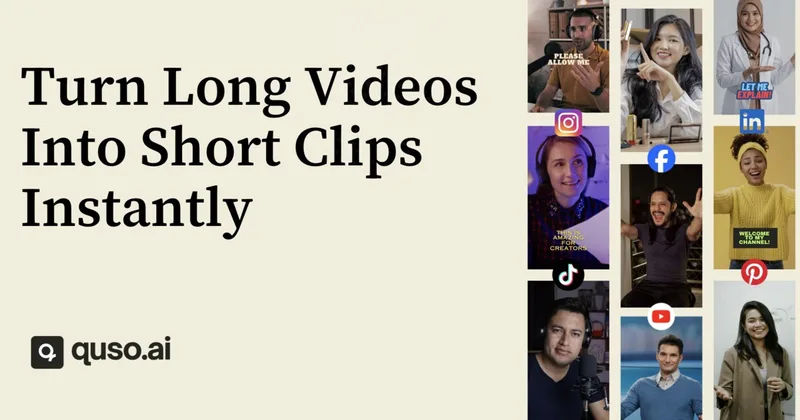
Quso.ai, formerly Vidyo.ai, is an AI tool that finds the best moments in long videos, cuts them into vertical clips, adds animated captions and publishes them to social channels. It now bundles a scheduler, content planner and brand kit alongside the clipper.
We compared Quso's homepage and pricing page with third-party reviews and directory write-ups. We did not test the product ourselves, and plan details change, so confirm them on the pricing page before buying.
Below you will find the features, the plans and credit system, the rebrand history and who should look at another clipper.
Our Top Picks
Quso.ai7.0/10
Turns long videos and podcasts into captioned short clips, then plans and publishes them from one calendar.
Read our full take ↓1. Quso.ai — AI Clipper With a Built-In Social Scheduler
What we like
- Clipping, captions, scheduling and analytics in one tool
- Imports from YouTube, Zoom, Google Drive, Dropbox and local files, and the FAQ says every source works on the free plan
- Free plan with 75 monthly credits so you can test your own footage
- Text-based editor lets you cut by deleting words and removing silences
Keep in mind
- Credits are tied to processed minutes, so long recordings use them quickly
- Pricing varies by country, and the page does not state social account limits per plan
- The page cites both 50+ and 100+ languages, so check your language before relying on captions
Quso's core is the AI Clips Generator, which finds high-performing moments in a long video and scores each by a virality rating. Clips are reframed vertically, and the subtitle generator adds word-level animated captions with filler-word removal. Beyond that, the product includes a text-based video editor, a Brand Kit on paid plans, an AI Content Planner and social analytics. Quso says it is formerly Vidyo.ai, and independent directory write-ups say existing Vidyo accounts moved over to Quso.
Credits drive the pricing. The pricing page says one credit is roughly one minute of processed video. The Free plan includes 75 credits per month, 720p renders and TikTok publishing. Lite is $29 per month with 100 credits and 1080p clips, Essential is $39 per month with 300 credits and scheduling to seven platforms, and Growth is $49 per month with 600 credits, brand kit, analytics and priority support. Annual billing is listed at $174, $234 and $294 per year for those three plans. Quso also says pricing varies by country, so your checkout may differ.
Reviewers place Quso among Opus Clip, Submagic and Descript, and say some specialist tools may beat it on clip quality or hook detection, with mixed comments on support. Quso says it is trusted by 4M+ creators and businesses, which is a vendor figure we could not verify.
Skip it if you want a full desktop video editor, or if you record many hours of footage and have not checked how fast credits will be used.
What Quso.ai does
Quso covers the repurposing chain from long video to scheduled short clip:
| Step | Quso feature |
|---|---|
| Import | YouTube, Vimeo, X, Facebook, Twitch, Rumble, Loom, LinkedIn, Zoom, Google Drive, Dropbox or upload |
| Clip | AI Clips Generator with virality scoring |
| Caption | AI Subtitle Generator with animated word-level captions |
| Edit | Text-based editor, silence and filler-word removal |
| Publish | Scheduler and Content Planner |
| Measure | Social analytics on Growth |
Plan comparison
| Plan | Monthly price | Credits per month | Main additions |
|---|---|---|---|
| Free | $0 | 75 | 720p renders, TikTok publishing |
| Lite | $29 | 100 | Unlimited 1080p clips, advanced desktop editor |
| Essential | $39 | 300 | Scheduling to 7 platforms, filler and silence removal, Content Planner |
| Growth | $49 | 600 | Brand kit, analytics, priority support, 75GB storage |
Prices are the monthly billing figures on the pricing page. Quso’s pricing page shows a promotion on yearly plans, so check the current price before you buy.
Estimating how many credits you need
Because one credit is roughly one minute of processed video, a single 60-minute podcast could use most of the Lite plan’s monthly allowance, depending on how much you clip and caption. Test one real recording on the free plan, note how many credits it consumed, and multiply by how many episodes you publish.
Rebrand and trust questions
Quso is the new name for Vidyo.ai. If you used Vidyo before, directory write-ups say accounts transferred automatically. Many online reviews of both names are SEO-style directory pages, so weigh them lightly and rely on a free-plan test.
Alternatives
To brief ad creators, our MakeUGC review covers AI UGC ads, and the best free AI video generator guide covers cheaper starting points.
Frequently Asked Questions
Is Quso.ai the same as Vidyo.ai?
Quso.ai lists Vidyo.ai as its former name. Third-party write-ups report that Vidyo accounts, subscriptions and projects moved over to Quso automatically, though sources differ on the exact rebrand date.
Does Quso.ai have a free plan?
Yes. The pricing page lists a free plan with 75 credits per month, 720p renders, chapters and short videos, TikTok publishing and seven days of data retention.
How do Quso credits work?
Quso says one credit is roughly one minute of processed video, and clipping, captioning and editing use credits. The paid plans list 100, 300 and 600 credits per month.
Which platforms can Quso publish to?
The homepage lists TikTok, Instagram, YouTube, LinkedIn, Facebook, X and Pinterest. Its FAQ says the free plan connects TikTok only, and scheduling plans connect the rest.
Is Quso.ai worth it compared with Opus Clip?
It depends on what you need. Quso adds a scheduler, planner and brand kit around the clipper. Reviews say specialist clippers can be stronger on clip selection, so run the same video through both free tiers and compare.
Final Verdict
Quso.ai is a good fit for podcasters, coaches and small teams who record long content and want clipping, captions and scheduling in one place. Start on the free plan with a real recording to see how many credits it takes, then move to Essential if you need scheduling across platforms. If you record many hours a week or want a deep editor, price out credits first or look at a dedicated tool.
Sources We Checked
Specs and features in this guide come from these manufacturer pages and independent sources, checked on Oct 15, 2026.