UptimeRobot Review (2026): 50 Free Monitors, When to Upgrade
We may earn a commission when you buy through links on our site, at no extra cost to you. Learn more
Quick answer
UptimeRobot is a website and server monitoring service whose Free plan covers 50 monitors checked every 5 minutes, which is enough for most freelancers, bloggers and small businesses that just need to know when a site goes down. Upgrade to Solo for 60-second checks and a branded status page, or to Team when several people need logins and webhook or PagerDuty alerts. Skip it if you need checks every few seconds across a large fleet with deep incident management built in.
UptimeRobot checks your websites, servers, ports and scheduled jobs from outside your network and alerts you when they stop responding. It is a long-running uptime monitor, and its free plan is the reason many small sites start with it.
We compared UptimeRobot's pricing page, terms of service, help center and blog with independent reviews on editorial sites and user review platforms. We did not test the service ourselves, so plan limits and policies below are attributed to the vendor, and patterns from user feedback are labelled as such.
Below you will find what each plan includes, the real limits of the free tier (including where commercial use stands today), who owns the company, common complaints and who should pick a different monitor.
Our Top Picks
UptimeRobot7.3/10
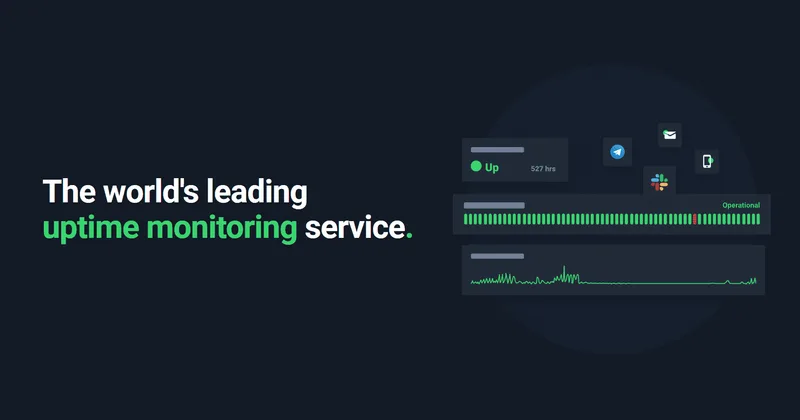
Website, keyword, ping, port, cron job and DNS monitoring with status pages and alerts, sold as Free, Solo, Team, Scale and custom Enterprise plans.
Read our full take ↓1. UptimeRobot — Uptime Monitoring With a Large Free Tier
Best for: Freelancers, small businesses and agencies that need dependable downtime alerts and a public status page without a big monitoring budget
What we like
- Free plan covers 50 monitors and one status page, with no credit card required
- Vendor's terms and help center say the Free plan may be used for commercial and business projects
- Paid tiers add faster checks, more status pages and team seats in clear steps
- Third-party service monitoring on paid plans, now backed by the IsDown acquisition
Keep in mind
- Free checks run every 5 minutes, so a short outage can go unnoticed
- SMS and voice alerts use credits, which the Free plan does not include
- Webhook, Zapier and PagerDuty integrations start on the Team plan, per the pricing page
UptimeRobot's Free plan is the main draw. The vendor's pricing page lists 50 monitors with 5-minute check intervals, one basic status page, five integrations and 3 months of log retention. There are no login or notify seats, and SMS or voice credits are not included but can be bought.
Paid plans speed things up. On the US pricing page, Solo is $9 a month billed annually ($108 a year) or $10 billed monthly for 10 monitors at 60-second intervals with 3 status pages on your own domain. Team is $35 a month billed annually ($420 a year) or $41 monthly for 100 monitors at 30-second intervals, 3 login seats, 100 white-label status pages and webhook, Zapier and PagerDuty support. Scale is $65 a month billed annually ($780 a year) or $77 monthly for 200 monitors at 15-second intervals, 5 seats and unlimited status pages. Enterprise is quoted on request. New subscriptions and upgrades carry a 14-day money-back guarantee, according to the vendor.
User feedback on review platforms tends to praise the simple dashboard and dependable alerts, while recurring complaints mention occasional false alarms, the slower checks on lower tiers compared with some rivals, a mobile app that lags the web version and features removed from free status pages over the years.
Skip it if you run a large production platform that needs sub-minute checks on hundreds of endpoints plus on-call scheduling and incident workflows in one tool.
What UptimeRobot monitors
UptimeRobot works from the outside: its servers request your page, ping your host or open a port, and alert you when the result is not what you expect. The vendor’s knowledge hub lists HTTP and website checks, keyword checks (text that should or should not appear), ping, port, UDP, DNS, API, response time, domain expiry and SSL certificate monitoring, plus cron job monitoring, where your scheduled task calls a unique URL to prove it ran.
Alerts go out by email, SMS, voice call, email-to-SMS and mobile app push, and through integrations such as Slack, Microsoft Teams, Telegram, Discord, PagerDuty, Zapier and webhooks. Which ones you get depends on the plan: the pricing page lists five integrations on Free and adds webhook, Zapier and PagerDuty from Team.
Plans at a glance
| Plan | Price (US page) | Monitors | Check interval | Status pages | Log retention |
|---|---|---|---|---|---|
| Free | $0 | 50 | 5 minutes | 1 (basic) | 3 months |
| Solo | $9/mo billed annually, $10 monthly | 10 | 60 seconds | 3, own domain | 12 months |
| Team | $35/mo billed annually, $41 monthly | 100 | 30 seconds | 100, white-label | 24 months |
| Scale | $65/mo billed annually, $77 monthly | 200 | 15 seconds | Unlimited | 24 months |
| Enterprise | Custom quote | Custom | Custom, faster | Not listed | Not listed |
Solo and Scale also come in larger monitor bundles; check the current price for those on the vendor’s pricing page, since prices vary by region and the EU page shows euros. Extra login seats on Team and Scale are sold separately; see the pricing page for the per-seat price.
The free plan and commercial use
This point causes the most confusion online. Several articles from 2025 and early 2026 say UptimeRobot limited its free plan to non-commercial use in late 2024. UptimeRobot’s own terms now state the service “is available for any use, including commercial and business use”, and its help center says the Free plan can be used for business, commercial and revenue-generating projects, including monitoring client sites as part of your service. The terms reference a Fair Use Policy and were last updated in May 2026.
Two rules still apply. You may hold only one account, so opening extra free accounts to get past 50 monitors breaks the terms. And you may not repackage UptimeRobot’s data, alerts or status pages as your own branded monitoring service without a separate agreement. If your plan depends on the free tier for client work, reread the live terms before you build on it, because the policy has already changed once.
Who it suits
A freelancer or small agency with a handful of client sites is the classic fit: 50 free monitors cover the homepage, checkout page and contact form of several sites, and a status page gives clients a link to check before they email you. Small online shops benefit from keyword monitoring, which can catch a checkout page that loads but shows an error. Game server owners can point a port monitor at the server address; if you are still choosing a host, our Minecraft server hosting guide compares the options.
Site builders such as Wix and Squarespace manage hosting for you, but an outside monitor still tells you when your domain, DNS or a third-party embed breaks. Our Wix vs Squarespace comparison covers what each platform handles on its own.
Who should skip it
Teams that need checks every few seconds on hundreds of endpoints, built-in on-call schedules, escalation policies and post-incident timelines will find UptimeRobot thin and will likely pair it with, or replace it with, a dedicated incident platform. Free users who want SMS alerts must buy credits.
Common complaints
Across editorial reviews and user review sites, a few patterns repeat. Occasional false positive alerts come up, as with most outside monitors. One editorial review expected faster checks on Solo and Team, noting that many alternatives check more often. The mobile app gets weaker feedback than the web dashboard. Long-time free users mention features being removed or restricted over the years, which fits the commercial-use back and forth above.
Ownership and company background
UptimeRobot’s blog says itrinity, a Czech and Slovak company, acquired the service in late 2019. The terms name UptimeRobot s. r. o. in Bratislava, Slovakia, as the operator. In July 2026 UptimeRobot announced it had acquired IsDown, which tracks the status of more than 6,000 cloud and SaaS providers, and that data now feeds its third-party monitoring feature. IsDown remains available as a separate product, per the announcement.
Alternatives
If downtime keeps coming from weak hosting, a better host matters more than a faster monitor; the hosting guides linked above are a place to start. Long outages can also hurt search visibility, and several tools in our best SEO tools roundup flag crawl errors that point to a site going down. Agencies that bundle monitoring into a client package alongside CRM and funnels can read our GoHighLevel pricing breakdown.
Frequently Asked Questions
Is UptimeRobot really free?
Yes. The Free plan costs $0, needs no credit card and covers 50 monitors with 5-minute checks and one basic status page. It lacks SMS and voice credits, login seats and longer log history, which the paid plans add.
Can I use the UptimeRobot free plan for a business site?
UptimeRobot's current terms and help center say the service, including the Free plan, is available for any use, including commercial and business use. Several 2025 articles reported a non-commercial limit on the free tier from late 2024, so older advice may conflict. You still may not resell or white-label UptimeRobot data as your own monitoring service, and you may hold only one account.
How often does UptimeRobot check my site?
The vendor lists 5-minute intervals on Free, 60 seconds on Solo, 30 seconds on Team and 15 seconds on Scale. Enterprise offers custom, faster intervals.
Who owns UptimeRobot?
UptimeRobot's own blog says itrinity, a Czech and Slovak company, acquired it in late 2019. The terms name UptimeRobot s. r. o., based in Bratislava, Slovakia, as the operator. In July 2026 UptimeRobot announced it had acquired IsDown, a service that tracks the status of cloud and SaaS providers.
Does UptimeRobot send SMS alerts?
Yes, through credits. Paid plans include a set number of SMS and voice credits, and extra packs are sold separately. The vendor says each SMS costs 1, 2 or 5 credits depending on the country, and a voice call costs 2 credits. The Free plan includes none, but credits can be purchased.
Can I get a refund on a paid plan?
The vendor offers a 14-day money-back guarantee on new subscriptions and upgrades.
Final Verdict
UptimeRobot is the easy default for anyone who needs to know when a website, server or cron job stops responding. The Free plan's 50 monitors cover most personal and small-business sites, and the vendor's current terms allow commercial use. Move to Solo once 5-minute checks feel too slow or you want a branded status page, and to Team when several people need access and alerts in tools like PagerDuty. Large engineering teams with on-call rotations will want a fuller incident platform.
Sources We Checked
Specs and features in this guide come from these manufacturer pages and independent sources, checked on Oct 17, 2026.