Best Minecraft Server Hosting (2026): 8 Picks, 2 Free Tiers
We may earn a commission when you buy through links on our site, at no extra cost to you. Learn more

Quick answer
ScalaCube is a sensible starting point if you want to try a free 8 GB Java plan before paying, and Apex Hosting suits players who want Java and Bedrock support with a large-server plan on the same site. Shockbyte is the alternative for buyers who want a published 72-hour refund window. Hosts change their promos often, so check the current price on each vendor page before you order.
A good Minecraft host gives you enough RAM for your player count and mods, a panel that does not get in the way, and a refund window in case the setup is wrong for your group. Prices and promotions on these sites change often and sometimes conflict between pages, so this guide focuses on what each vendor documents.
We compared features, vendor documentation and user reviews for eight hosts that sell Minecraft servers in the US, UK, EU, Canada and Australia. Each pick has a distinct role, from a free starter server to a VPS-style plan for people who want more control.
Below you will find the eight picks, a comparison table we compiled from vendor pages, advice on matching RAM to your server, who should skip hosted plans, and an FAQ. We did not run hands-on tests on any host, so every claim is attributed to the vendor.
Our Top Picks
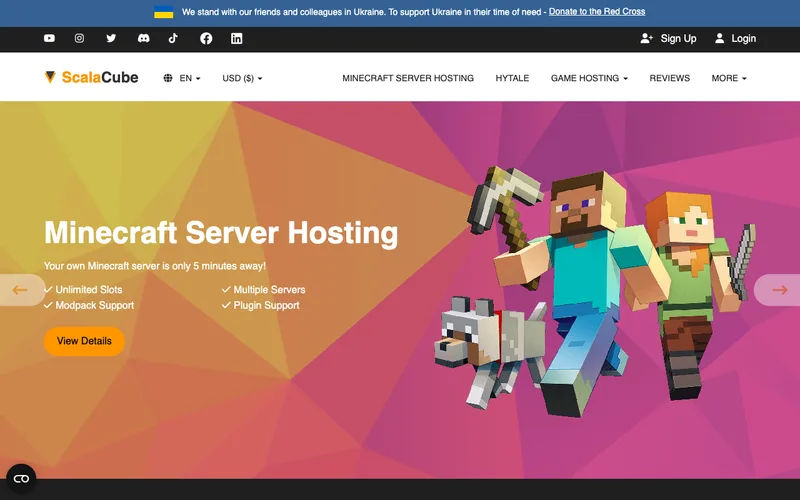
ScalaCube7.8/10
ScalaCube lists a free 8 GB Java plan with no card required, plus paid Java and Bedrock plans.
Read our full take ↓
Godlike7.5/10
Godlike sells Java plans in 2, 4 and 6 GB tiers and says plans can be scaled at any time.
Read our full take ↓
Apex Hosting8.0/10
Apex Hosting lists unlimited slots, DDoS protection and plans that support both Java and Bedrock.
Read our full take ↓- ScalaCubeBest Free Starter Server7.8
- GodlikeBest for Scaling Up Later7.5
- Apex HostingBest for Java and Bedrock Together8.0
- ShockbyteBest for a Refund Window7.5
- BisectHostingBest for Modpack Variety8.0
- Sparked HostBest for Hardware Tiers7.8
- HostingerBest VPS-Style Game Panel7.3
- NodecraftBest for Wake-and-Play Budget Servers7.8
| Product | Our score | Best for | Link |
|---|---|---|---|
| Best Free Starter Server ScalaCube | 7.8 | Players who want to try a hosted server before paying | Check ScalaCube |
| Best for Scaling Up Later Godlike | 7.5 | Groups that expect to move to a bigger plan as the world grows | Check Godlike |
| Best for Java and Bedrock Together Apex Hosting | 8.0 | Mixed groups where some friends play on console or phone | Check Apex Hosting |
| Best for a Refund Window Shockbyte | 7.5 | First-time server owners who want time to change their mind | Check Shockbyte |
| Best for Modpack Variety BisectHosting | 8.0 | Modded servers that start from a popular modpack | Check BisectHosting |
| Best for Hardware Tiers Sparked Host | 7.8 | Players who want to pick a CPU tier for their server | Check Sparked Host |
| Best VPS-Style Game Panel Hostinger | 7.3 | Owners who want VPS resources behind a Minecraft panel | Check Hostinger |
| Best for Wake-and-Play Budget Servers Nodecraft | 7.8 | Small groups that play a few evenings a week | Check Nodecraft |
1. ScalaCube — Best Free Starter Server
What we like
- A free Java plan is listed with no card required
- Plans are described as all-inclusive with no setup fees
- Moving to a bigger plan means paying only the difference
- Separate Java and Bedrock plan pages
Keep in mind
- Pricing pages load dynamically and several cached pages disagree, so check the live price
- Dedicated IP is listed as a paid add-on on some plan pages
ScalaCube's free Java plan is the reason to look at it first. The vendor's plan page lists the free tier with 8 GB of RAM, 4 CPU cores and 30 GB of SSD storage, with instant setup and no card required. That is enough to host a small friend group on vanilla or lightly modded Java, and it lets you judge the panel before you spend anything.
On paid plans, ScalaCube says its game server plans are all-inclusive with no setup fees, and that upgrading means paying only the difference between your old and new plan. One ScalaCube page also mentions unlimited player slots. Bedrock plans have their own plan constructor, and some Bedrock pages mention extra charges such as data transfer and memory, so read the constructor summary before checkout.
The main caution is price clarity. The pages we found show different entry figures and some look dated, so we are not printing a number here. Check the current price on the vendor page.
Skip it if you want one flat, clearly published price table with no add-ons to read through.
2. Godlike — Best for Scaling Up Later
What we like
- Clear Double, Quadro and Ultra tiers on the Java page
- Vendor says plans can be scaled at any time
- A free 2 GB plan is listed for US clients
- Separate pages for modded and Java hosting
Keep in mind
- Sale prices and list prices differ across Godlike pages
- The free plan is limited to US clients for now, per the vendor
- The Java page says the free server must be extended every 3 hours
- Slot limits and unlimited-player wording differ between pages
Godlike's Java page lays out three paid tiers. The Double plan lists 2 GB of RAM, Quadro lists 4 GB and Ultra lists 6 GB, all on 30-day billing. The page shows both a sale price and a list price for each tier, which is typical of the promo-heavy hosting market, so confirm what you will actually pay on the day you order.
The vendor says players are unlimited on all plans and that you can scale a plan at any time. It also lists a free 2 GB tier available to US clients. Slot ranges on the Java tier table (for example 5 to 10 slots on the 2 GB plan) do not line up neatly with the unlimited-player wording elsewhere, so ask support what applies to your plan before you promise a server size to your community.
Godlike also publishes its own comparison and ranking posts. Treat those as marketing material rather than independent testing.
Skip it if you are a player outside the US who wants the free tier, or if you need a single consistent description of slot limits before buying.
3. Apex Hosting — Best for Java and Bedrock Together
What we like
- Vendor lists Java and Bedrock support with full panel access
- Unlimited slots and DDoS protection listed on all plans
- Most packages are instantly deployed, per the pricing page
- A large EX Series plan exists for bigger communities
Keep in mind
- Entry price shown on the homepage is a promo figure
- The EX Series renews at a much higher monthly rate than its first month
Apex Hosting's homepage lists unlimited slots and its pricing page says all plans include DDoS protection. The vendor also states that it offers plans supporting both Bedrock and Java Edition with full panel access, which matters if some of your group joins from a console or phone while others play on PC.
At the top end, the pricing page lists an EX Series plan with an AMD Ryzen 9 7950X, 16 GB of DDR4 RAM, NVMe storage, 4 dedicated vCores and a free dedicated IP. The pricing page says most packages deploy instantly after you click Order Now. Apex advertises promo codes on its homepage, but the entry price shown there is already a promo figure, so check the current price at checkout.
Apex is a good fit for a community server that may grow, since a larger plan exists on the same site. Smaller plan details were not visible in the results we found, so confirm the RAM tier you need on the pricing page.
Skip it if you want the lowest possible monthly bill and do not need Bedrock or a large-server tier.
4. Shockbyte — Best for a Refund Window
What we like
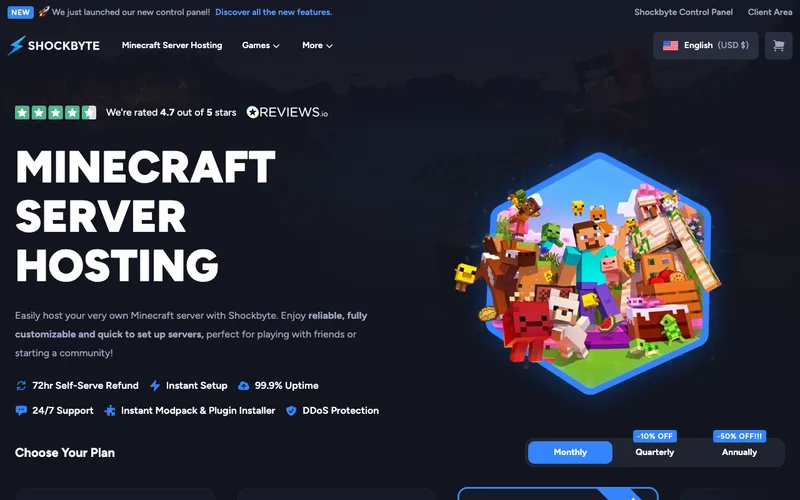
- Vendor lists a 72-hour self-serve refund
- 11 standard plans from 1 GB to 12 GB plus a custom tier
- Instant setup, 24/7 support and DDoS protection listed
- Separate Bedrock, modded and Australian plan pages
Keep in mind
- Shockbyte published a notice about a Minecraft price increase in June 2024
- Older cached pages show prices that do not match the main plan page
Shockbyte's main Minecraft page lists 11 standard plans from 1 GB to 12 GB of RAM, plus a custom tier that starts at 17 GB and up. The page advertises a 72-hour self-serve refund, instant setup, 99.9% uptime, 24/7 support and DDoS protection. The uptime figure is the vendor's own claim and we did not verify it.
The vendor also has dedicated pages for Bedrock, modded Minecraft and an Australian storefront priced in Australian dollars. A blog post on the Shockbyte site explains a Minecraft price increase that took effect on June 3, 2024, with existing customers keeping their old rates. That tells you pricing here has moved before, so check the current price instead of relying on an old comparison table.
Because there are many small steps in the plan ladder, Shockbyte makes it easy to start small and upgrade as your world grows.
Skip it if you need a long refund window or a free plan, since the published window is 72 hours.
5. BisectHosting — Best for Modpack Variety
What we like
- Vendor lists 2,300+ modpacks on one-click installs
- 21 locations listed, which helps players in different regions
- 24/7/365 support and unlimited slots listed
- Java plans listed from 2 GB up to 48 GB on one page
Keep in mind
- Premium and Budget tiers differ in default features
- One selector page showed a Java plan out of stock with a waitlist
- Entry price varies by page and tier
BisectHosting's homepage lists unlimited slots, 24/7/365 support, 2,300+ modpacks on one-click installs and 21 locations. For modded Minecraft that library is the draw, since you can start from a known pack instead of uploading files by hand.
The company sells Premium and Budget tiers. A BisectHosting knowledge base article says Budget servers come with the same performance and support but add-ons must be chosen separately, and the BisectBoost add-on can bring a Budget server close to Premium features. An older Java listing runs from a 2 GB plan to a 48 GB plan, which suggests room to grow.
Availability can vary by location, because one selector page showed a Java plan as out of stock with a waitlist option. Entry prices differ across BisectHosting pages, so use the live selector for the current price.
Skip it if you play vanilla with a few friends and have no use for a large modpack library.
6. Sparked Host — Best for Hardware Tiers

What we like
- Three named tiers: Budget, Enterprise and Extreme
- Enterprise lists a Ryzen 9 7900 and Extreme a Ryzen 9 9900X on RAID 1 NVMe
- Bundles combine game hosting with web hosting and a Discord bot
- Seasonal sale codes are published on an offers page
Keep in mind
- Backups, dedicated IP and server management are listed as paid add-ons
- Cached pages disagree on entry figures and some are old
Sparked Host sells Minecraft in three tiers. The Budget page lists plans from 1 GB up to 22 GB of RAM with 10 to 100 GB of storage. The main Minecraft page lists Enterprise on AMD Ryzen 9 7900 hardware and Extreme on a Ryzen 9 9900X, both with RAID 1 NVMe storage, with plans running up to 26 GB of RAM.
The vendor also lists bundles named Starter, Community and Network that pair game hosting with web hosting and a Discord bot. Add-ons are listed separately: backup slots, a dedicated IP or port, and server management are all extra on the pages we found.
Pricing pages for this host vary in age, and a Fall sale page advertises a first-period discount with a code. Because of that, we are not printing a price and suggest you check the live page.
Skip it if you want backups and a dedicated IP bundled in, since the vendor lists them as add-ons.
7. Hostinger — Best VPS-Style Game Panel
What we like
- Plans list vCPU, RAM, NVMe storage and bandwidth openly
- Dedicated IP, firewall and DDoS protection listed
- Game Panel tiers run from 4 GB to 32 GB RAM
- Generous bandwidth numbers on the plan table
Keep in mind
- Payment is listed as upfront for the whole term
- Renewal rates are higher than the sign-up rate
- The Minecraft page we found looked dated, so confirm the tiers
Hostinger sells Minecraft through VPS-based Game Panel plans. The listing we found shows Game Panel 1 with 1 vCPU, 4 GB of RAM, 50 GB of NVMe storage and 4 TB of bandwidth, scaling up to Game Panel 8 with 8 vCPU, 32 GB of RAM, 400 GB of storage and 32 TB of bandwidth. Hostinger says a dedicated IP, a built-in firewall and DDoS protection are included.
The vendor states that the monthly rate shown is the total plan price divided by the number of months, and that all plans are paid upfront. Renewal rates are shown higher than the sign-up rate, so work out the multi-year cost before choosing a long term. We are not printing the numbers because the page we found looked dated and Hostinger's own tutorial quotes a different starting figure.
This is a strong fit if you are comfortable with a VPS-style product and want to know exactly how many vCPUs and how much RAM you are getting.
Skip it if you want a month-to-month plan with no upfront commitment.
8. Nodecraft — Best for Wake-and-Play Budget Servers
What we like
- Vendor lists a free 24-hour trial with no credit card
- Lite plans shut down when unused and resume when woken
- Pro plans stay online 24/7 with a static IP
- Build Your Own tier runs from 2 GB to 32 GB RAM
Keep in mind
- Lite servers are not online around the clock
- Renewal rates are higher than the first-month sale rate
Nodecraft splits Minecraft into two tiers. Lite servers shut down when unused and resume when someone wakes them, which suits a group that plays a few evenings a week. Pro servers stay online 24/7 with a static IP and automated tasks. Both tiers list 2 GB, 4 GB and 8 GB sizes, and a Build Your Own option runs from 2 GB to 32 GB.
The vendor lists a free 24-hour trial with no credit card required, which is a useful way to test the panel. Backups differ by tier: Lite creates a backup when the server is idle, while Pro backups run weekly. Nodecraft shows a first-month sale rate and a higher renewal rate, so we are leaving the numbers out and asking you to check the current price.
The wake-and-play model keeps costs down for casual groups but means friends cannot join at random hours without waking the server.
Skip it if you run a public server that must be reachable at any hour on a Lite plan.
How the picks were compared
We read each vendor’s own plan, pricing and documentation pages and looked for the specs that affect a Minecraft server: RAM tiers, named CPUs, free options, refund terms and edition support. We did not run hands-on tests. Where pages disagreed, we left the figure out. If you are shopping for minecraft server hosting on a budget, the sensible route is to start with a free plan or trial and then compare the renewal rate, not the sign-up rate.
Comparison table
This table is compiled from the vendor pages linked in the sources. A dash means we found no published figure.
| Host | Free option | Refund window | Named CPU | RAM range listed |
|---|---|---|---|---|
| ScalaCube | Free 8 GB Java plan | — | — | — |
| Godlike | Free 2 GB plan (US clients) | — | — | 2, 4 and 6 GB tiers |
| Apex Hosting | — | — | Ryzen 9 7950X (EX Series) | Up to 16 GB (EX Series) |
| Shockbyte | — | 72 hours | — | 1 to 12 GB, custom 17 GB and up |
| BisectHosting | — | — | — | 2 to 48 GB (one page) |
| Sparked Host | — | — | Ryzen 9 7900, 9900X | 0.5 to 26 GB |
| Hostinger | — | — | — | 4 to 32 GB |
| Nodecraft | 24-hour trial | — | — | 2 to 32 GB |
Matching RAM to your server
A vanilla server for a handful of friends fits the small tiers that most vendors list at 1 to 4 GB. Modpacks are heavier, and several vendors point modded servers at their 6 GB to 8 GB plans. If you expect the world to grow, pick a host where upgrades are simple. ScalaCube says an upgrade pays only the difference, and Godlike says plans can be scaled at any time.
Choosing by player group
Friends who play on both PC and console should look at Apex Hosting first, since it lists Java and Bedrock support. Modpack players should look at BisectHosting for its one-click library. Anyone who wants to read a spec sheet of vCPU and bandwidth figures will find it at Hostinger. A group that plays two evenings a week can save money with Nodecraft’s Lite tier, which sleeps when idle.
Who should skip hosted plans
If you only need a server while you and a friend are online, running a server on your own PC costs nothing. Hosted plans make sense when you want the world available at any hour, when your home upload speed is limited, or when you do not want to expose your own network. Skip any host whose refund terms you have not read. Once a server is running, a free port monitor such as the one in our UptimeRobot review can alert you when it stops responding.
Pricing and billing notes
Vendors in this market advertise sale prices, promo codes and first-period discounts that differ from renewal rates. Several pages we found disagreed with each other, and some looked dated. For that reason this guide does not print plan prices. Open the vendor page from the pick you like, check the current price and billing term, and read the refund terms before paying.
Frequently Asked Questions
How much RAM does a Minecraft server need?
It depends on player count and mods. The vendors in this guide list plans from 1 GB up to 32 GB or more. Vanilla servers for a few friends sit at the small end, while heavy modpacks usually call for the 6 GB to 8 GB tiers and above. Check the modpack author's recommendation.
Is there a free Minecraft server host?
ScalaCube lists a free 8 GB Java plan, Godlike lists a free 2 GB plan for US clients, and Nodecraft lists a free 24-hour trial. Terms change, so read each vendor page.
What is the cheapest way to host a Minecraft server?
Start with a free plan or trial, then move to the smallest paid tier that fits your players. Compare the renewal rate rather than the sign-up rate, because several vendors show a lower first-period price. Check the current price on each vendor page.
Can Java and Bedrock players join the same server?
Apex Hosting says it offers plans that support both editions. Other hosts in this guide sell Bedrock plans on separate pages. Confirm cross-play support with the vendor before you buy.
Do these hosts offer refunds?
Shockbyte lists a 72-hour self-serve refund. Other vendors' refund terms were not confirmed in the pages we reviewed, so read the terms of service before paying.
Final Verdict
ScalaCube is the easiest way to try a hosted server without paying, Apex Hosting fits mixed Java and Bedrock groups, and Shockbyte gives new owners a published 72-hour refund window. BisectHosting suits modpack servers, Sparked Host and Hostinger suit buyers who care about hardware specifics, and Nodecraft suits casual groups. Prices and promos change often, so check the current price on each vendor page before you order.
Sources We Checked
Specs and features in this guide come from these manufacturer pages and independent sources, checked on Oct 12, 2026.