Best SEO Tools (2026): 7 Picks, From Free Crawls to Suites
We may earn a commission when you buy through links on our site, at no extra cost to you. Learn more

Quick answer
Semrush is the broadest pick for marketers who want research, audits and tracking in one place, and Ahrefs is the strong alternative for backlink and competitor work. Start with Google Search Console, which is free, and add Screaming Frog if you need technical crawls.
SEO tools help you find keywords, check technical problems and track whether pages move up in search. The right set depends on whether you run one site or many, and whether you need competitor data.
We compared features, vendor documentation and user reviews for seven tools sold in the US, UK, EU, Canada and Australia. We did not test them ourselves, and every figure below is attributed to the vendor or the source where we found it.
Below you will find the seven picks, a comparison table we compiled, common complaints, scenarios and an FAQ. Plans change often, so confirm limits and prices on the vendor pages.
Our Top Picks
Semrush8.0/10
Semrush covers keyword research, site audits, rank tracking and competitor analysis in one subscription, with Pro, Guru and Business tiers.
Read our full take ↓
Ahrefs7.8/10
Ahrefs is known for Site Explorer and Keywords Explorer, with a free account for verified sites and paid tiers from Starter to Enterprise.
Read our full take ↓
Google Search Console7.8/10
Google Search Console is free and shows how your site performs in Google Search, including clicks, impressions, indexing and Core Web Vitals.
Read our full take ↓- SemrushBest All-in-One Suite for Marketers8.0
- AhrefsBest for Backlinks and Competitor Research7.8
- Google Search ConsoleBest Free Tool for Your Own Site7.8
- Screaming Frog SEO SpiderBest for Technical Site Crawls7.8
- SeobilityBest Budget Option With a Permanent Free Plan7.3
- MangoolsBest Simple Bundle for Keyword Research7.8
- Surfer SEOBest for On-Page Content Optimization6.5
| Product | Our score | Best for | Link |
|---|---|---|---|
| Best All-in-One Suite for Marketers Semrush | 8.0 | Marketers and agencies who want research, audits and tracking in a single tool | Check Semrush |
| Best for Backlinks and Competitor Research Ahrefs | 7.8 | SEOs and content teams who analyze competitors and backlinks | Check Ahrefs |
| Best Free Tool for Your Own Site Google Search Console | 7.8 | Every site owner, as the free baseline for search data | Check Google |
| Best for Technical Site Crawls Screaming Frog SEO Spider | 7.8 | Technical SEOs and agencies auditing sites on their own computers | Check Screaming Frog |
| Best Budget Option With a Permanent Free Plan Seobility | 7.3 | Small businesses and bloggers who want audits and rank checks on a modest budget | Check Seobility |
| Best Simple Bundle for Keyword Research Mangools | 7.8 | Freelancers and bloggers who want straightforward keyword and rank tools | Check Mangools |
| Best for On-Page Content Optimization Surfer SEO | 6.5 | Content writers and editors who optimize articles against a target keyword | Check Surfer |
1. Semrush — Best All-in-One Suite for Marketers
Best for: Marketers and agencies who want research, audits and tracking in a single tool
What we like
- Keyword Magic Tool, Site Audit and Position Tracking sit in one subscription
- Semrush's help pages put the keyword database above 27 billion keywords
- A free account lets you try the tools with caps
- Tiers scale from 5 to 40 projects
Keep in mind
- Limits on projects and tracked keywords can bind quickly on the lower tiers
- Semrush sells a separate Semrush One bundle, which makes plan comparison harder
- Free account caps are small: 10 daily reports and 100 audited pages a month
Semrush sells its SEO Toolkit in Pro, Guru and Business tiers. Its pricing-limits page lists 5 projects and 500 tracked keywords on Pro, 15 projects and 1,500 keywords on Guru, and 40 projects and 5,000 keywords on Business. Guru adds historical data and multi-location tracking, and Business adds Share of Voice and API access. The company also offers Semrush One as a separate bundle, so check which package a page is describing.
The free account is useful for evaluation. According to Semrush's own help material, free users get about 10 Keyword Magic reports a day, a Site Audit allowance of 100 pages a month and Position Tracking for 10 keywords on one website. The knowledge base describes the Keyword Magic database as over 27 billion keywords, a vendor figure.
Prices have changed over time and appear differently on different Semrush pages, so we are not printing them. Check the current price on the pricing page.
Skip it if you only need a single task such as crawling a site or checking Search Console data, since a suite is more than you need.
2. Ahrefs — Best for Backlinks and Competitor Research
What we like
- Ahrefs says it adds new backlinks to its index every 15 minutes
- Keywords Explorer supports bulk analysis of up to 10,000 keywords at once
- Ahrefs Free gives verified sites Site Explorer and Site Audit access with capped rows
- Five paid tiers, from Starter through Enterprise
Keep in mind
- Credit-based usage means heavy research can run into limits
- Enterprise requires an annual commitment
- Higher tiers cost much more than entry tools
Ahrefs organizes its product around Site Explorer for competitor and backlink research, Keywords Explorer for keyword discovery, Site Audit for technical issues and Rank Tracker for positions. Its help pages say Keywords Explorer can analyze up to 10,000 keywords in bulk and shows Traffic Potential next to search volume. Ahrefs says its backlink index is refreshed every 15 minutes, which is a vendor claim we could not check independently.
The old Ahrefs Webmaster Tools is now called Ahrefs Free. It works on unlimited verified websites, and Ahrefs lists 5,000 crawl credits per verified project per month. Paid tiers are Starter, Lite, Standard, Advanced and Enterprise, and Enterprise needs an annual commitment. Ahrefs also offers annual billing on Lite, Standard, Advanced and Enterprise.
Because Ahrefs has changed its plans recently and older blog posts list different numbers, we are not printing a price. Check the current price before you buy.
Skip it if you mainly want content-writing guidance or a low-cost tool for a single small site.
3. Google Search Console — Best Free Tool for Your Own Site
What we like
- Free to use
- Performance report shows clicks, impressions, CTR and average position by query, page, country or device
- Page indexing report lists issues that keep URLs out of the index
- URL Inspection and Core Web Vitals reports are included
Keep in mind
- Shows only your own verified sites, not competitors
- Google's guidance says smaller sites may not need the page indexing report
- Not a keyword research tool for new topics
Google Search Console reports how your own site appears in Google Search. The Performance report lists clicks, impressions, click-through rate and position, grouped by query, page, country or device. The Page indexing report lists the issues that kept some URLs out of Google's index, and the URL Inspection tool checks individual pages. A Core Web Vitals report shows real-world performance.
Google's documentation says you do not have to sign up for Search Console to appear in search results, and says that if your site has fewer than 500 pages you probably do not need the page indexing report, suggesting a site: search for key URLs instead. Discover and News reports appear only when a site has enough traffic.
It is free, so it works as the baseline for any other SEO tool. It cannot show competitors' rankings or backlinks, which is what paid tools add.
Skip it if you want competitor data, since Search Console only covers sites you own and can verify.
4. Screaming Frog SEO Spider — Best for Technical Site Crawls
What we like
- The free version crawls up to 500 URLs per crawl
- A paid licence removes the limit, lets you save crawls and adds JavaScript rendering
- Search Console integration is a licence feature
- Volume discounts apply from 5 licences
Keep in mind
- Free version cannot save crawls and restricts configuration
- Each user needs a separate licence
- A desktop tool with a steeper learning curve than web dashboards
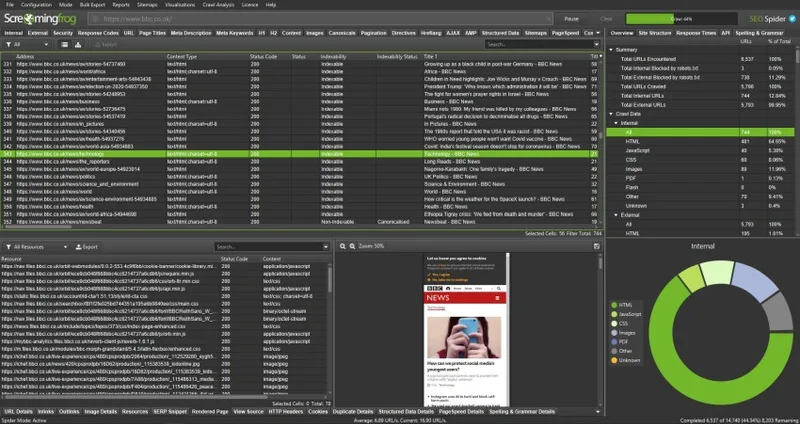
The SEO Spider is a crawler you install on your computer. Screaming Frog says the free version crawls a maximum of 500 URLs per crawl, cannot save crawls and restricts the configuration options. The paid licence removes the 500 URL limit, allows you to save and open crawls and unlocks features such as JavaScript rendering and Google Search Console integration.
Licences are annual and the tool reverts to the free version when a licence expires. The licence page says two users need two individual licences and lists lower per-licence prices for groups of 5, 10 and 20. Screaming Frog quotes its price in pounds sterling, and other pages show a converted figure, so check the licence page for the current amount.
A crawler tells you what is on your site, such as broken links, redirect chains, missing titles and duplicate content. It does not provide keyword volumes or backlink data, so most people pair it with a suite or Search Console.
Skip it if you want a web dashboard, ongoing rank tracking or keyword discovery.
5. Seobility — Best Budget Option With a Permanent Free Plan
Best for: Small businesses and bloggers who want audits and rank checks on a modest budget
What we like
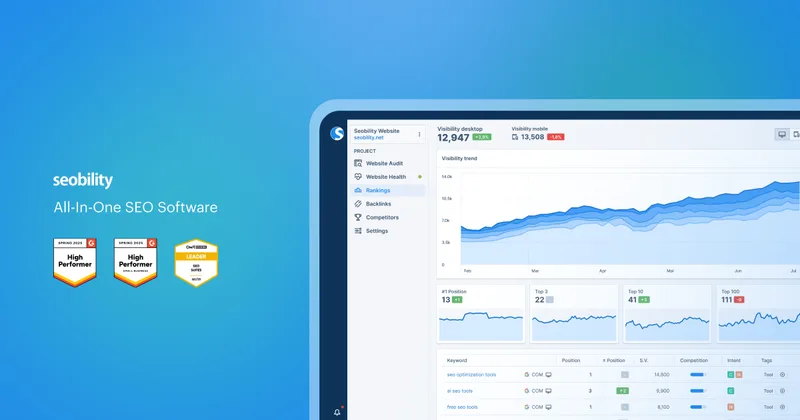
- Basic is permanently free: 1 project, 10 tracked keywords and 100 pages per crawl
- Paid plans include a 14-day free trial
- Premium lists 3 projects, 25,000 pages per crawl and 300 tracked keywords
- Free tools can be used without registration
Keep in mind
- Free plan has 5 daily tool credits and a limited website audit
- Extra projects do not include keywords, which need an add-on
- Smaller data set than the big suites
Seobility's pricing page lists a Basic plan that is free with no time limit. It includes 1 website project, 10 tracked keywords, 5 daily tool credits, a limited website audit and 100 pages per crawl. Paid tiers start with Premium, which lists 3 projects, 25,000 pages per crawl and 300 keywords for ranking monitoring, and higher tiers raise those limits. Every paid plan has a 14-day free trial.
The pricing page shows prices in euros while other Seobility pages show dollar figures that do not match, so we are not printing a price. Extra projects do not include keywords, and keyword packages add 100 keywords each.
For a small business that wants a site audit, rank monitoring and on-page checks without a large budget, the free plan is a low-risk place to start. Larger teams will probably find the project and keyword limits tight and the data less deep than the big suites.
Skip it if you need extensive competitor backlink data or large-scale keyword research.
6. Mangools — Best Simple Bundle for Keyword Research
What we like
- KWFinder, SERPWatcher and SiteProfiler are all included in every plan
- A free plan exists and needs no credit card
- Mangools offers a full refund within 48 hours of payment
- Simpler interface than the large suites
Keep in mind
- Tools cannot be bought separately
- The 48 hour refund does not apply to two consecutive subscriptions
- API access is sold separately, and less depth than Semrush or Ahrefs
Mangools combines several focused tools. KWFinder handles keyword research, SERPWatcher tracks rankings and SiteProfiler analyzes domains, and Mangools says all of them are included in every subscription and cannot be bought separately. Plans are named Entry, Basic, Premium and Agency, with higher plans raising limits.
Its FAQ says a free plan exists without a credit card and that subscriptions auto-renew. A full refund is offered if you are not satisfied within 48 hours of payment, but not for two consecutive subscriptions. API plans for KWFinder and SERPChecker are separate products, and SERPWatcher API access is available on request.
Prices on Mangools pages vary with promotions, annual billing and add-on bundles, so check the current price on the plans page. The interface is simpler than the large suites, which many beginners like, though the data depth is smaller.
Skip it if you need very large keyword databases, deep backlink analysis or agency-scale reporting.
7. Surfer SEO — Best for On-Page Content Optimization
What we like
- Content Editor guides what to include in an article for a target keyword
- Content Audit tracks rankings and suggests articles with quick-win potential
- Surfer says annual plans save up to 17% compared with monthly payments
- Documentation explains how credits are used
Keep in mind
- Content Editor needs an active subscription plus credits, where 1 credit equals 1 article
- Pricing tiers and names differ across pages we found
- Narrower than a full SEO suite
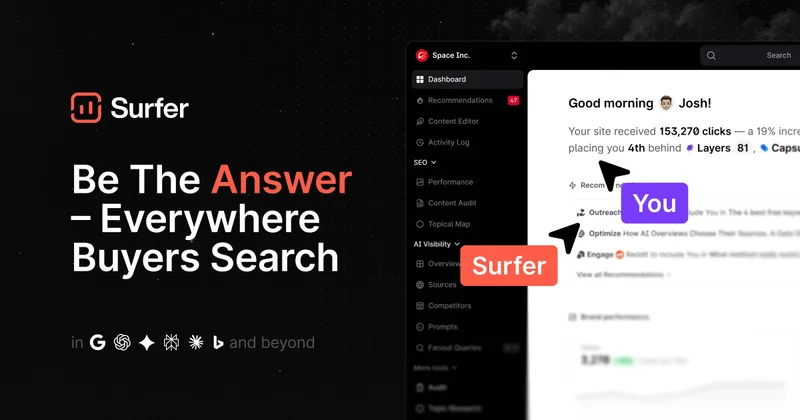
Surfer is built around content. The Content Editor needs an active subscription and credits, and Surfer's pricing FAQ says 1 credit equals 1 article. The Content Audit tracks rankings, alerts you to drops and suggests articles with the best quick-win potential to refresh. Surfer says annual billing saves up to 17% compared with paying monthly.
Plan names and prices differ between the pages we found, with older pages describing different tiers, so we are not printing a price. Check the current plans on the pricing page.
Because it concentrates on writing and refreshing pages, it fits alongside a keyword tool or Search Console rather than replacing them. It does not provide backlink analysis or a deep technical crawler.
Skip it if you need technical audits, backlink research or a broad keyword database.
How the seven compare
| Tool | Free option | Main strength | Key limit to know |
|---|---|---|---|
| Semrush | Free account with caps | All-in-one suite | 5, 15 or 40 projects by tier |
| Ahrefs | Ahrefs Free for verified sites | Backlinks, competitors | Credit-based usage |
| Google Search Console | Free | Your own search data | Your verified sites only |
| Screaming Frog | Free up to 500 URLs | Technical crawling | Separate licence per user |
| Seobility | Permanent Basic plan | Budget audits and ranks | 10 keywords on free |
| Mangools | Free plan | Simple keyword research | Tools sold only as a bundle |
| Surfer SEO | Check vendor | Content optimization | 1 credit equals 1 article |
Figures come from each vendor’s own pages, and where pages disagree we say so in the review instead of printing a number.
Common complaints
Patterns across the documentation and reviews we read are consistent. Plan limits on projects and tracked keywords are the most common frustration, since they decide how many sites you can follow. Pricing pages and older blog posts disagree, so buyers should confirm the live price. Free tiers are intentionally small, with Semrush at 100 audited pages a month and Seobility at 100 pages per crawl. Beginners also report that the largest suites show more data than they can use.
Scenarios
A solo blogger. Search Console plus Seobility’s free plan or Mangools gives keyword and ranking data without a large bill.
A freelancer with several clients. Semrush’s higher tiers list more projects, and Ahrefs suits backlink-heavy work.
A technical audit before a site migration. A Screaming Frog crawl, saved with a paid licence, shows broken links and redirects before they hurt.
A content team refreshing old posts. Surfer’s Content Audit and Search Console’s Performance report show which pages are slipping.
Related reading
If your content includes AI-assisted drafts, our guide to the best AI detector explains how to check originality responsibly. Agencies that bundle reporting with client management can compare GoHighLevel’s plans. Keep keyword research and briefs organized with the best note-taking app.
Choosing a setup
Start free, write down the three jobs you need done each month, and buy the cheapest tool that covers them. Cancel or downgrade tools you do not open. Treat any traffic estimate as an estimate, because third-party tools model data that only Search Console reports directly for your site.
Frequently Asked Questions
What is the best free SEO tool?
Google Search Console is free and shows clicks, impressions and indexing issues for your own site. Ahrefs Free, Seobility Basic, Mangools' free plan and the free Screaming Frog version add audits and limited research.
Do I need Semrush or Ahrefs?
Not always. Both are broad suites that suit competitor research and larger sites. A small site may be well served by Search Console plus a free crawl and a low-cost keyword tool.
What does Screaming Frog do that the others do not?
It is a desktop crawler, so it scans a site from your computer and reports broken links, redirects and on-page issues. The free version is limited to 500 URLs per crawl, according to Screaming Frog.
Is Surfer SEO a replacement for Semrush?
No. Surfer focuses on writing and refreshing content, while Semrush covers research, audits and tracking. Many teams use a content tool alongside a research tool.
How often should I check rankings?
Rankings move daily, so check trends over weeks rather than reacting to one day. Your tool's tracked keyword limit may decide how many terms you can follow.
Final Verdict
Begin with Google Search Console because it costs nothing and shows how Google sees your site. Add Semrush or Ahrefs when you need competitor and keyword data, Screaming Frog for technical audits, and Mangools or Seobility for a gentler budget. Use Surfer if your main job is improving articles. Check current limits and prices before committing.
Sources We Checked
Specs and features in this guide come from these manufacturer pages and independent sources, checked on Oct 16, 2026.