Best Note Taking App (2026): 8 Picks, Free Plans Compared
We may earn a commission when you buy through links on our site, at no extra cost to you. Learn more

Quick answer
Obsidian is the pick if you want local Markdown files and a free core app, and Notion suits people who want notes, databases and wikis in one workspace. OneNote is the free alternative for Windows and Microsoft 365 users. Evernote's free plan is now limited to 50 notes, so check its limits before you choose it.
A note app is only useful if you keep using it, and the right one depends on where your notes need to live: on your device, in a team workspace or inside a suite you already pay for. Free plans differ a lot, and some have tightened recently.
We compared features, vendor documentation and user reviews for eight note apps sold in the US, UK, EU, Canada and Australia. We attribute every limit to the vendor and leave out prices that conflicted between pages.
Below you will find the eight picks, a comparison table we compiled, advice by situation, and an FAQ. We did not run hands-on tests.
Our Top Picks
Notion7.8/10
Notion combines notes, databases and wikis, and its free plan covers individuals with unlimited pages.
Read our full take ↓
Obsidian8.5/10
Obsidian stores notes as plain Markdown files on your device and is free for all uses, with paid Sync and Publish.
Read our full take ↓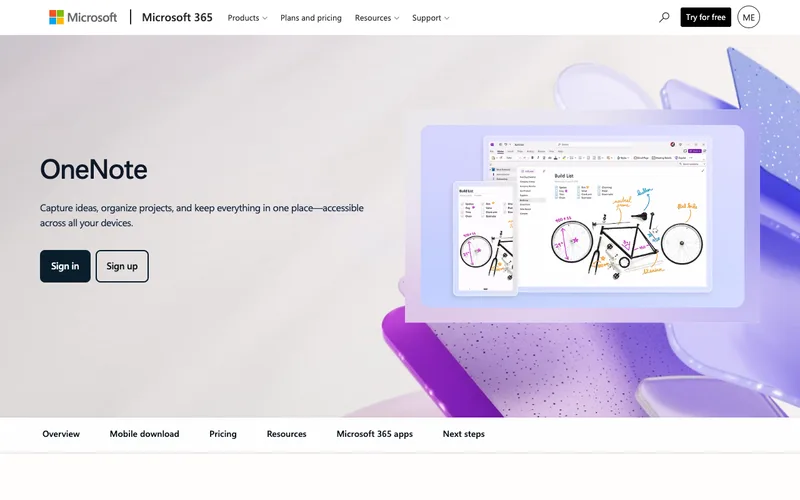
Microsoft OneNote8.5/10
OneNote is free on Windows, Mac, web, iPhone, iPad and Android, with notebooks synced through OneDrive.
Read our full take ↓- NotionBest All-in-One Workspace7.8
- ObsidianBest for Local, Linked Markdown Notes8.5
- Microsoft OneNoteBest Free Notebook Style8.5
- EvernoteEstablished Name, Tight Free Limits5.8
- JoplinBest Open-Source Option With Encryption8.0
- BearBest for Apple Users Who Like Writing6.3
- TaskadeBest Notes With Built-In AI7.5
- Google KeepBest for Quick Capture6.8
| Product | Our score | Best for | Link |
|---|---|---|---|
| Best All-in-One Workspace Notion | 7.8 | People who want notes, tasks and wikis in one place | Check Notion |
| Best for Local, Linked Markdown Notes Obsidian | 8.5 | Writers and researchers who want to own their files | Check Obsidian |
| Best Free Notebook Style Microsoft OneNote | 8.5 | Students and Windows users who like a freeform page | Check Microsoft |
| Established Name, Tight Free Limits Evernote | 5.8 | Users who want web clipping and an established app | Check Evernote |
| Best Open-Source Option With Encryption Joplin | 8.0 | Privacy-minded users who want open-source software and their own sync | Check Joplin |
| Best for Apple Users Who Like Writing Bear | 6.3 | Apple users who want a clean writing app | Check Bear |
| Best Notes With Built-In AI Taskade | 7.5 | Small teams who want notes, tasks and AI in one workspace | Check Taskade |
| Best for Quick Capture Google Keep | 6.8 | Quick lists and short notes inside the Google ecosystem | Check Google |
1. Notion — Best All-in-One Workspace
What we like
- Notion's product page lists unlimited pages on the free plan for individuals
- Docs, wikis and databases live in the same workspace
- Notion AI is included on Business and Enterprise, with a limited trial on Free and Plus, per the vendor
- Plus is free for students and educators with one member
Keep in mind
- Free workspaces with two or more owners are limited to 1,000 blocks, per Notion
- File uploads on Free are limited to 5 MB each
- Free AI access is a trial, not a standing allowance
Notion is more workspace than notebook. Its pages hold text, databases, wikis and project views, which suits people who want notes tied to tasks. The vendor's pricing page describes a free plan for individuals with unlimited pages, and its help center says the 1,000-block limit applies only to free workspaces with two or more owners.
On the free plan, uploaded files are limited to 5 MB each, and Notion says paid plans raise that to unlimited uploads with a maximum of about 5 GB per file. Notion AI is described as a limited trial on Free and Plus, with fuller access on Business and Enterprise. Sources conflicted on the size of the free AI trial, so we did not print a number. Check the current price on notion.com.
For plain quick notes, Notion's structure can feel like more setup than needed.
Skip it if you want instant capture with no databases or templates to configure.
2. Obsidian — Best for Local, Linked Markdown Notes
What we like
- Obsidian's license page says it is free for all purposes, including commercial
- Notes live locally as plain text Markdown, and no account is needed
- Obsidian Sync and Publish are optional paid services
- Students and nonprofit staff can get a 40% discount on Sync and Publish, per the vendor
Keep in mind
- Sync and Publish cost extra
- Setup and plugins take more effort than a standard app
- Not designed for real-time team editing
Obsidian takes the opposite approach to Notion: notes are plain Markdown files in a folder on your machine, and the app builds links and a graph on top. The vendor's license page says the core app is free for all purposes, including work, and that no account is required to use it.
Money enters through two optional services. Obsidian Sync keeps vaults in step across devices, and Publish turns notes into a website. The pricing page lists both per month with annual and monthly options, and a discount for students and nonprofit staff, but figures differed between Obsidian's pages, so we are not printing a price. Check the current price on obsidian.md.
Because files are plain text, you can move them elsewhere, which many buyers value as a hedge against vendor lock-in.
Skip it if you want collaboration with teammates in real time or dislike configuring plugins.
3. Microsoft OneNote — Best Free Notebook Style
What we like
- Microsoft says all supported versions of OneNote are free to download and use
- Notebooks sync through OneDrive and work offline
- Runs on Windows, Mac, web, iOS and Android
- Optional premium features come with a Microsoft 365 subscription
Keep in mind
- Notes count against your OneDrive storage allowance
- Some Copilot features have higher limits only on paid plans
- OneNote for Windows 10 reached end of support in October 2025
OneNote works like a freeform notebook, where you can drop text, drawings and clippings anywhere on a page. Microsoft's support pages say all supported versions are free to use, the desktop app runs on supported Windows versions, and mobile apps are free downloads for iPhone, iPad and Android.
Notes are stored in OneDrive, so a heavy attachment habit counts against your free storage allowance, which has shrunk over time. Microsoft's current pages describe higher Copilot usage limits on paid plans. The older OneNote for Windows 10 app reached end of support in October 2025, so Microsoft points users to the standard desktop app.
If you already live in Microsoft 365, OneNote fits without any extra account.
Skip it if you prefer a strict, linear note format over a freeform canvas.
4. Evernote — Established Name, Tight Free Limits
What we like
- Evernote's help center says Free accounts can create up to 50 notes and one notebook
- Free users can use Evernote on one device at a time, per the compare-plans page
- Evernote raised Free note and attachment size to 200 MB in 2024
- Evernote says Personal and Professional have been retired for Starter and Advanced
Keep in mind
- The free plan is very restrictive compared with other apps in this list
- Paid tiers cost more than the free alternatives, so check the live price
- Evernote users on its own forum complain about price increases
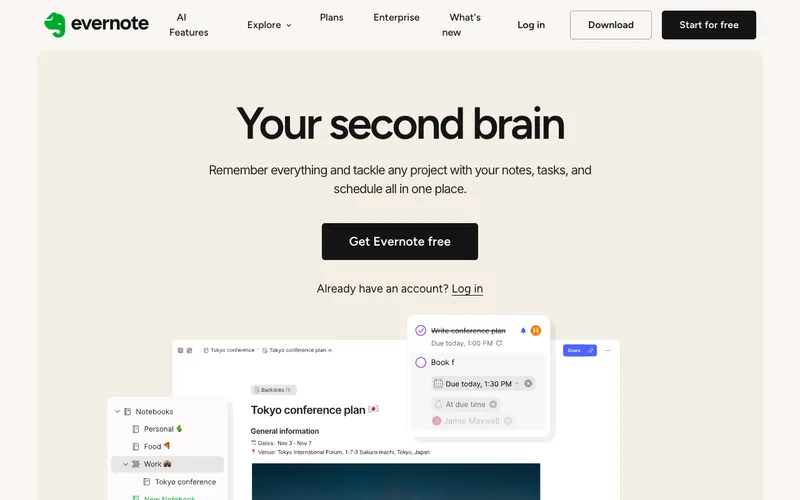
Evernote is a long-established name, but its free plan is the tightest here. The help center states that Free accounts are limited to 50 notes in total and one notebook, and the compare-plans page lists a single device. Existing notes can still be viewed and edited when you hit the cap, but new ones cannot be created.
For individuals who need more, Evernote says Starter and Advanced are now the only options, replacing Personal and Professional. Starter carries a cap of 1,000 notes, 20 notebooks and 3 synced devices according to Evernote's FAQ, while Advanced is described with unlimited notes, notebooks and devices in the plan FAQ, though another help article gives a cap, so check the details. Prices changed recently, per Evernote's own blog and forum threads, so check the live price.
Evernote's strengths remain web clipping, search and file attachments.
Skip it if you want a free plan you can use across a phone and a laptop.
5. Joplin — Best Open-Source Option With Encryption
What we like
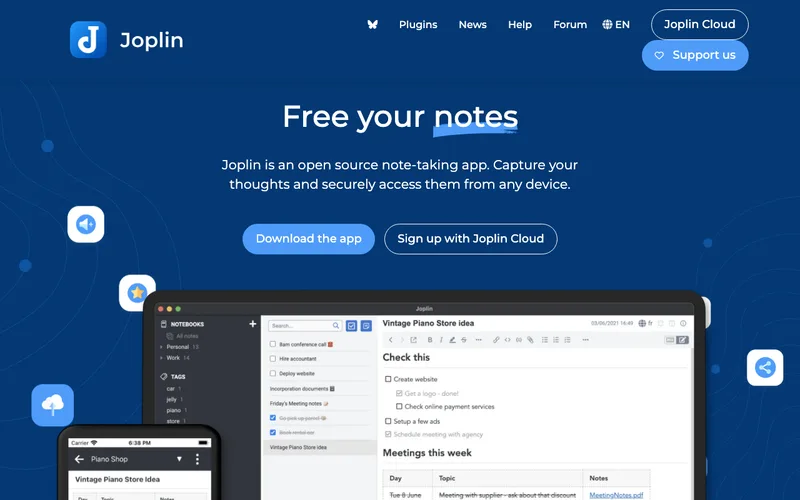
- Joplin's site says notes can sync with end-to-end encryption through Nextcloud, Dropbox, OneDrive and Joplin Cloud
- Joplin Server Business is a self-hosted option for organizations
- Notes are written in Markdown
- A paid Joplin Cloud service exists for sync
Keep in mind
- End-to-end encryption does not cover notes stored on your own device, per the forum
- Interface is plainer than Notion or Evernote
- A per-note local lock feature is still in development, per a forum post
Joplin is the open-source pick. Its site describes a free note app in Markdown, and notes can sync through several services with end-to-end encryption, including Nextcloud, Dropbox, OneDrive and Joplin Cloud. Joplin maintainers explain on the forum that, with encryption enabled, whoever runs the sync server cannot read the notes because they do not have the key.
Encryption has limits that the documentation and forum are clear about. It covers synced data, not notes stored on your own machine, so full-disk encryption is the answer for local protection. A per-note lock feature was described in the forum as still in development.
Joplin Server Business adds self-hosting for organizations that want control over where notes live.
Skip it if you want polished design and templates over open-source flexibility.
6. Bear — Best for Apple Users Who Like Writing
What we like
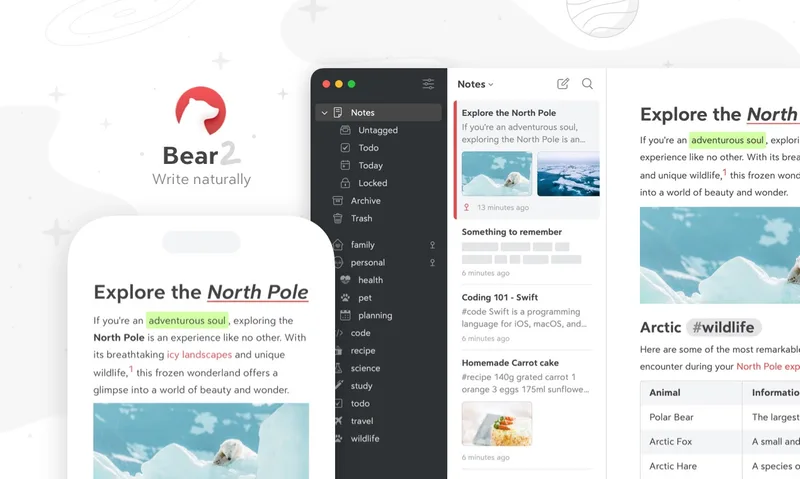
- Bear's site describes flexible notes for Mac, iPad, iPhone and Apple Watch
- Without Bear Pro, notes stay on the device where you wrote them
- Bear Pro unlocks iCloud sync across devices and has a 7-day free trial, per the vendor
- Attachments over 250 MB stay on the device
Keep in mind
- Apple-only, with no Windows or Android app
- Sync requires Bear Pro and the same Apple ID on every device
- Community threads describe slow background sync on iOS
Bear is a writing-first Markdown app, available only on Apple devices. The vendor's FAQ says that without Bear Pro all notes are stored locally on the device, and that Bear Pro unlocks iCloud sync across your devices. A 7-day free trial is offered, and the price is listed on bear.app, so check the current price.
The troubleshooting page sets clear limits: attachments over 250 MB stay on the device, and the App Store and iCloud accounts must match across devices. It also says that, in rare cases, a note can end up with a second conflicted version. A Bear community thread reports slower background sync on iOS, though other users describe sync as reliable once it runs.
Bear Web is in public beta and, once out of beta, will require Bear Pro.
Skip it if anyone in your workflow uses Windows or Android.
7. Taskade — Best Notes With Built-In AI
What we like
- Taskade's help page describes a Free Forever plan with unlimited projects, real-time collaboration, AI chat, basic agents and automations
- The PDF-to-notes converter is free with no watermark, per the vendor
- Free users get every project view except Gantt, Actionsheet and Org Chart
- Advanced agents and custom domains are paid features
Keep in mind
- The free AI credit allowance is stated in several different ways across Taskade pages
- Seat limits on Free also differ between pages
- Less established than Notion or OneNote
Taskade treats a note as an outline you can turn into a task list, a mind map or a board, and puts AI on top. The help center describes a Free Forever plan with unlimited projects, real-time collaboration, AI chat, basic agents and automations. A free PDF-to-notes converter generates structured notes plus flashcards and a quiz from an upload, with no watermark.
Credit counts are the unclear part. Taskade's FAQ lists 1,000 monthly AI credits for Free while also calling the allocation one-time, a billing FAQ cites up to 3,000, and other pages cite higher numbers. Seat counts differ too, from one to two. Open your account to see what you actually have.
That uncertainty matters if AI is why you are choosing it.
Skip it if you want a predictable, documented AI allowance before you commit.
8. Google Keep — Best for Quick Capture
What we like
- Google Keep is free for personal use
- Notes can be copied to Google Docs from the three-dot menu on the web
- Keep Notepad inside Docs lets you drag notes into a document
- Sharing works like Docs sharing, per Google
Keep in mind
- Reminders moved to Google Tasks, and location-based reminders are gone, per Google's help
- Few organization features beyond labels and colors
- Not suited to long structured documents
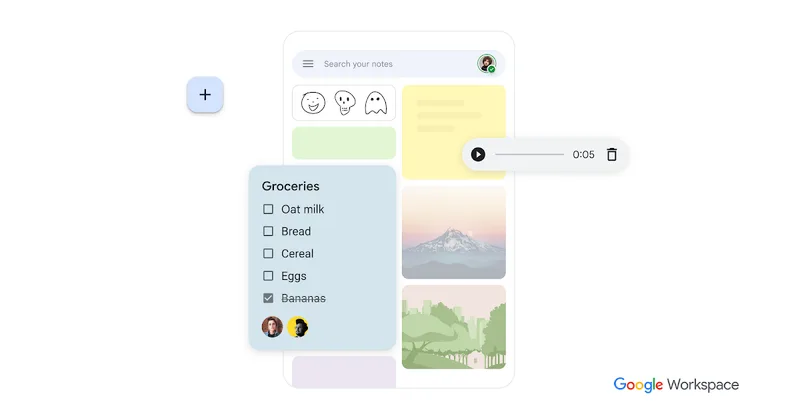
Google Keep is the lightest option in this list. The help pages describe quick notes and checklists that sync once you are online, with a Copy to Google Docs action and a Keep Notepad panel inside Docs that lets you drag notes into a document and creates a backlink to the source.
Reminders have changed. Google's Tasks help says Keep reminders migrated to Google Tasks, and location-based reminders can no longer be created, even though Google's older Keep marketing page still advertises them. Non-repeating reminders older than a year went to an Old Google Keep Reminders list.
For long-form writing or linking ideas, Keep runs out of room quickly, which is where Obsidian or Notion take over. If you want a CRM style workflow, our [GoHighLevel pricing guide](/work/gohighlevel-pricing/) covers a different category.
Skip it if you need structure, nested pages or strong search across thousands of notes.
How we compared the apps
We read each vendor’s product, pricing and help pages and looked at the limits that matter for note-taking: free plan caps, platforms, sync, export and privacy. Where pages disagreed, we left the number out. If you are looking for the best note taking app for long-term use, check export options and device coverage before you commit your notes to one tool.
Comparison table
Compiled from the vendor pages in our sources. A dash means we found no published figure.
| App | Free plan | Platforms | Where notes live | Sync |
|---|---|---|---|---|
| Notion | Yes, individuals | Web, desktop, mobile | Notion cloud | Built in |
| Obsidian | Free app | Desktop, mobile | Local Markdown files | Paid Sync service |
| OneNote | Yes | Windows, Mac, web, iOS, Android | OneDrive | Built in |
| Evernote | 50 notes, 1 notebook, 1 device | — | Evernote cloud | Plan-dependent |
| Joplin | Free | — | Local, or your own sync | Nextcloud, Dropbox, OneDrive, Joplin Cloud |
| Bear | Free app | Mac, iPad, iPhone, Apple Watch | Device or iCloud | Bear Pro |
| Taskade | Yes | Web and apps | Taskade cloud | Built in |
| Google Keep | Yes | Web and apps | Google account | Built in |
Choosing by situation
Students and Microsoft 365 users can start with OneNote, because Microsoft lists it as free and synced through OneDrive. Writers who want to keep their files should look at Obsidian or Joplin, since both work with Markdown. Teams that want notes next to tasks fit Notion or Taskade. Apple-only users can try Bear, and anyone who only needs a checklist can use Google Keep. If you want your notes read back aloud, a text-to-speech app such as the one in our Speechify review can sit alongside any of these. Writers and editors who review drafts for originality can compare checkers in our best AI detector guide.
Free plan limits to watch
Free plans change. Evernote’s Free plan is limited to 50 notes, one notebook and one device. Notion limits free workspaces with two or more owners to 1,000 blocks. OneNote depends on your OneDrive storage allowance. Bear leaves notes on one device unless you pay for sync. Read the limits before moving a large archive.
Privacy and data ownership
Local files give you the most control. Obsidian stores plain Markdown on your device, and Joplin offers end-to-end encrypted sync, though it says that does not protect notes stored on your own machine. Cloud-first apps such as Notion, Evernote and Taskade keep notes on their servers, so read their security pages if your notes are sensitive.
Who should skip a dedicated note app
If you only keep a grocery list and a few reminders, your phone’s built-in notes or Google Keep is enough. Teams that mainly need project tracking should compare project tools, such as the plans in our Asana pricing guide, before choosing a note app.
Frequently Asked Questions
What is the best free note taking app?
It depends on your devices. Microsoft lists OneNote as free on Windows, Mac, web, iOS and Android, Obsidian's core app is free for all uses, and Google Keep is free. Evernote's free plan is limited to 50 notes.
Is Obsidian really free?
Obsidian's license page says the core app is free for all purposes, including commercial use. Sync and Publish are optional paid services.
What are Evernote's free plan limits?
Evernote's help center says Free accounts can create up to 50 notes and one notebook, and the compare-plans page lists one device.
Does Notion have a free plan?
Yes. Notion lists unlimited pages for individuals on Free. Free workspaces with two or more owners are limited to 1,000 blocks, and AI access on Free is a trial.
Which note app is best for privacy?
Obsidian keeps notes as local Markdown files, and Joplin offers end-to-end encrypted sync, though Joplin says that does not cover notes on your own device. Check each vendor's security page.
Does Bear work on Windows?
Bear's site describes apps for Mac, iPad, iPhone and Apple Watch only.
Final Verdict
Obsidian is the strongest fit for owning your files, Notion for an all-in-one workspace, and OneNote for free cross-platform notebooks. Joplin suits privacy-minded users, Bear suits Apple users, Taskade suits AI-first teams, and Google Keep covers quick capture. Evernote's free plan has become very limited, so read its current terms first.
Sources We Checked
Specs and features in this guide come from these manufacturer pages and independent sources, checked on Oct 14, 2026.