QuillBot Review (2026): Free Limits, Premium Modes, Refunds
We may earn a commission when you buy through links on our site, at no extra cost to you. Learn more

Quick answer
QuillBot suits students and writers who want to rewrite sentences and polish grammar. Try the free tier first, because Premium mainly adds more modes and removes the word cap. Skip it if you need proven plagiarism or AI detection accuracy, which we could not verify.
QuillBot is an AI writing assistant best known for its paraphrasing tool. It now also offers a grammar checker, summarizer, citation generator and more, with free and paid tiers.
We compared QuillBot's own pages, its help center, and independent write-ups. We did not test the product ourselves, and plan details change, so confirm them on QuillBot's Premium page before buying.
Below you will find what is free, what Premium adds, who owns the company, how the refund terms read, and who should look at alternatives.
Our Top Picks
QuillBot7.8/10
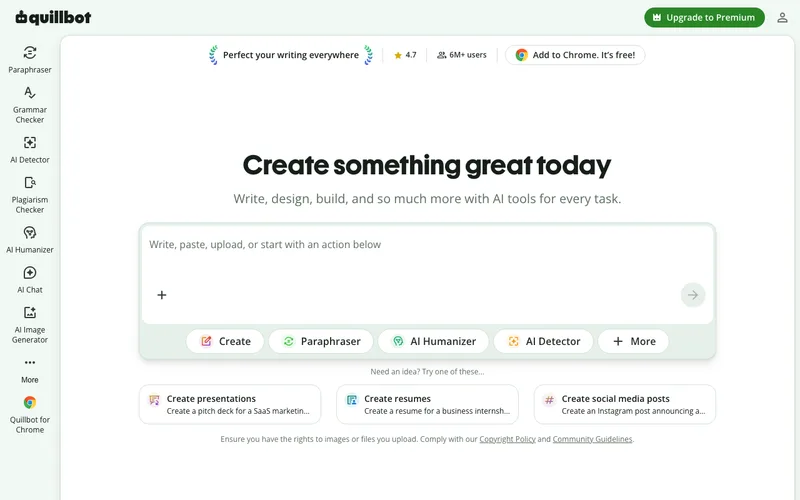
QuillBot is a paraphrasing and writing assistant with a free tier, a Premium plan that adds modes and removes word limits, and a Team plan.
Read our full take ↓1. QuillBot — AI Paraphraser and Writing Toolkit
Best for: Students, writers and non-native English speakers who rewrite and polish text
What we like
- Free tier covers Standard and Fluency paraphrasing modes
- Premium adds modes such as Formal, Simple, Creative, Academic, Expand, Shorten and Custom
- Citation generator supports over 1,000 styles, according to QuillBot
- Chrome extension, Word add-in and Windows app bring it into other apps
Keep in mind
- The free paraphraser limit is stated as 100 and 125 words on different QuillBot pages
- Reviewers report meaning shifts on complex sentences
- The refund terms on marketing pages and in the help center do not match
QuillBot started as a paraphraser and now bundles a grammar checker, summarizer, translator, citation generator, AI detector, plagiarism checker and humanizer. QuillBot's help center says free users get the Standard and Fluency paraphrasing modes, while Premium unlocks further modes such as Formal, Simple, Creative, Academic, Expand, Shorten, Humanize and Custom, with unlimited custom modes. The free word limit is stated as 100 words on the Premium page and 125 words in QuillBot's help article, so test it when you sign up.
The company is owned by Learneo, formerly Course Hero. Course Hero's Wikipedia page dates the acquisition to August 19, 2021, and a 2023 Learneo press release lists QuillBot in its portfolio. That matters mainly for data and terms: read the privacy policy before pasting sensitive text.
Independent write-ups describe a consistent pattern. A PeerSpot user says the tool does not always capture exact meaning in complex sentences, and a Dev.to review calls the plagiarism checker premium-only and metered at about 20 pages a month. QuillBot's own pages are unclear on whether the plagiarism checker is free, and we found no independent accuracy test.
Prices appear differently on different QuillBot pages and by billing period, so we are not printing one. Check the Premium page for the current price.
Skip it if you need verified-accurate AI detection or plagiarism results, or if your school or employer bans AI paraphrasing.
What is free and what is Premium
| Feature | Free | Premium |
|---|---|---|
| Paraphraser modes | Standard, Fluency | Adds Formal, Simple, Creative, Academic, Expand, Shorten, Humanize, Custom |
| Paraphraser word limit | Stated as 100 or 125 words | Unlimited, per QuillBot |
| Grammar checker | Basic fixes | Advanced recommendations |
| Plagiarism checker | Unclear on QuillBot pages | Reported as metered by one reviewer |
| Citation generator | Free, over 1,000 styles | Same |
The vendor’s pages disagree on some free limits, so confirm them when you sign up.
Where it fits
QuillBot works as an editing aid. The Chrome extension lets you paraphrase and check grammar across the web, a Word add-in and a Windows app cover document work, and the summarizer condenses material into bullet or paragraph form. It is a rewriting tool, so you still need to check that the meaning survives, especially in technical or legal text.
Refunds and cancelling
The help center says cancelling stops renewal and access continues to the end of the billing period. It says refunds are issued only if required by law, with a 14-day withdrawal right for users in the EEA and UK, and that Team plans are non-refundable. A QuillBot blog describes a three-day money-back guarantee, which the help center does not repeat. Cancel from Account Details, then the Your Plan tab, and keep your receipt.
Using it responsibly
Rephrasing someone else’s work without credit is plagiarism whichever tool you use. Use QuillBot to improve your own drafts, cite sources, and follow the policy of your school or employer.
Alternatives
If you want text read aloud, see our Speechify review. To check whether text looks machine-written, the best AI detector guide compares options. For organizing notes and drafts, try the best note-taking app guide.
Frequently Asked Questions
Is QuillBot free?
Yes, in part. QuillBot's help center says free users get the Standard and Fluency paraphrasing modes with a word limit, and some other tools such as the citation generator and AI detector are described as free. Its pages disagree on whether the plagiarism checker is free.
What does QuillBot Premium add?
Premium removes the paraphraser word limit and unlocks more modes, including Formal, Simple, Creative, Academic, Expand, Shorten, Humanize and Custom, according to QuillBot's help center. It also adds advanced grammar recommendations.
Who owns QuillBot?
QuillBot is part of Learneo, formerly Course Hero. Course Hero's Wikipedia page dates the acquisition to August 19, 2021.
Can I get a refund on QuillBot Premium?
The help center says refunds are issued only where required by law, that users in the EEA and UK can withdraw within 14 days of purchase, and that Team plans are non-refundable. A QuillBot blog FAQ describes a three-day money-back guarantee, so the pages conflict. Ask support before relying on it.
Is using QuillBot allowed for school work?
That depends on your institution's policy. Use paraphrasing for editing your own writing, cite sources properly and follow your school or employer's rules on AI assistance.
Final Verdict
QuillBot is a sensible free starting point for rewording and light editing, and Premium is worth considering if you hit the word cap or want more modes. Read the refund terms first, because the help center and marketing pages differ, and do not treat its detector or plagiarism results as proof without a second check. Follow your school or employer's AI rules.
Sources We Checked
Specs and features in this guide come from these manufacturer pages and independent sources, checked on Oct 16, 2026.