Best Website Builder (2026): 7 Picks, Free Plans Compared
We may earn a commission when you buy through links on our site, at no extra cost to you. Learn more

Quick answer
Wix is the best starting point for most people because it has a free plan and an AI builder, and Squarespace is the alternative if you want a design-led site with a 14-day trial. Shopify fits online stores, and Framer fits designers who want control. Free plans on every builder here carry branding and a subdomain, so plan for a paid tier once you need your own domain.
A website builder lets you publish without hiring a developer, but the right one depends on what you sell, how much design control you want and whether you need your own domain on day one. The free plans look similar and differ in what they block.
We compared features, vendor documentation and user reviews for seven builders sold in the US, UK, EU, Canada and Australia. We quote prices only where a vendor page states them clearly, and we mark conflicts rather than guess.
Below you will find the seven picks, a comparison table we compiled, advice by situation, and an FAQ. We did not run hands-on tests.
Our Top Picks
Wix8.5/10
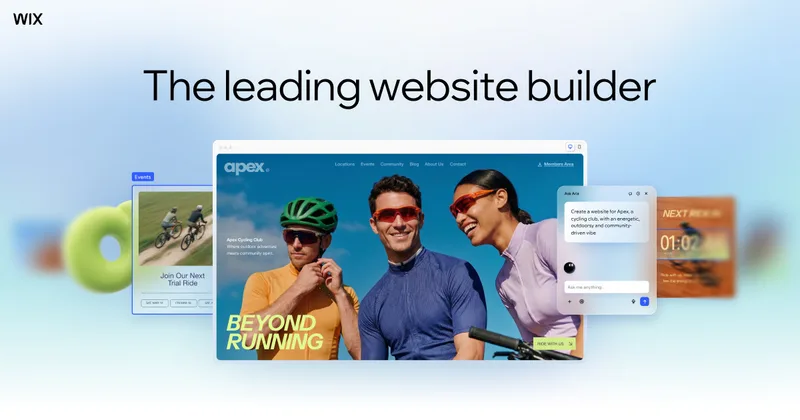
Wix has a free plan, a drag-and-drop editor and an AI builder that generates a site from a prompt.
Read our full take ↓
Squarespace7.3/10
Squarespace offers four plans and a 14-day free trial, with Core adding unlimited contributors and custom code.
Read our full take ↓Shopify7.3/10
Shopify has Basic, Grow and Advanced plans, with third-party payment fees of 2%, 1% and 0.6%.
Read our full take ↓| Product | Our score | Best for | Link |
|---|---|---|---|
| Best Overall for Most Sites Wix | 8.5 | Beginners who want flexibility and an AI starting point | Check Wix |
| Best for Design-Led Sites Squarespace | 7.3 | Creatives, consultants and small brands that care about look | Check Squarespace |
| Best for Online Stores Shopify | 7.3 | Sellers who want a store first and a website second | Check Shopify |
| Best for Designers and Fast Marketing Sites Framer | 8.0 | Designers and startups who want precise visual control | Check Framer |
| Best Value for Multilingual Starter Sites Webnode | 6.8 | Small first sites on a tight budget | Check Webnode |
| Best for Simple Sites With Live Chat Help SITE123 | 6.8 | First-time builders who want guided setup and chat support | Check SITE123 |
| Best for One-Page Sites Strikingly | 6.5 | Portfolios, events and single-page landing sites | Check Strikingly |
1. Wix — Best Overall for Most Sites
What we like
- Wix's plans page lists a $0 free plan with no credit card required
- The AI builder creates a site from a text prompt, per Wix
- Wix's AI agent, Aria, handles edits through conversation
- Four paid Premium tiers, with Core the first that accepts payments
Keep in mind
- The free plan carries Wix ads and a wixsite.com address, and a custom domain needs a Premium plan
- Some AI tools run on credits or usage limits
- Wix says its older ADI tool is deprecated, so older guides are out of date
Wix is the builder most people meet first. Its plans page lists a free plan at $0 with no credit card required, hosting, a drag-and-drop editor and thousands of templates. The catch is that free sites show Wix ads and use a wixsite.com address, and connecting a custom domain needs a Premium plan.
Wix has four paid tiers, Light, Core, Business and Business Elite, and says Core is the first that lets you accept payments. Its AI builder generates a site from a text prompt after asking about your business, and Aria edits through conversation. Wix's own pages say some AI tools run on credits or usage limits. Check the current price on wix.com.
Skip it if you want a template that stays fixed while you add content, since Wix's freedom to move elements can lead to messy layouts.
2. Squarespace — Best for Design-Led Sites
What we like
- Squarespace's FAQ says plans start at $19 per month when paid annually, with a 14-day free trial
- The trial gives access to most premium features, per its support article
- Basic lists up to 1,000 pages and two contributors
- Core adds unlimited contributors, custom code and third-party integrations
Keep in mind
- Trial sites cannot accept payments, so commerce features are not fully testable
- Basic lists only 30 minutes of video storage
- No permanent free plan
Squarespace is the polished option. Its FAQ describes four paid plans, Basic, Core, Plus and Advanced, starting at $19 per month when paid annually, with a 14-day free trial. Its support article says that during the trial you can use most premium features, but trial sites cannot take payments, so the commerce tools and donation block are not fully functional.
Basic lists up to 1,000 pages, two contributors and 30 minutes of video storage. Core adds unlimited contributors, custom code and integrations. Plus and Advanced target stores, with lower processing fees on the top tier. Pricing varies by plan and location, so check the current price on squarespace.com. We compare it head to head with Wix in our [Wix vs Squarespace](/software/wix-vs-squarespace/) guide.
Skip it if you want a permanent free plan to experiment with.
3. Shopify — Best for Online Stores
What we like
- Shopify's help center says the free trial covers the Basic, Grow and Advanced plans
- Third-party payment fees are 2% on Basic, 1% on Grow and 0.6% on Advanced, per Shopify
- Grow adds up to 5 staff accounts and Advanced up to 15
- Advanced adds live third-party shipping rates
Keep in mind
- The pricing page advertises a 3-day trial, which is short
- If you do not pick a plan when the trial ends, your store is paused
- Prices differ between Shopify's pages, so we do not print one
Shopify is a store platform that happens to build a site, so it fits when selling is the point. Its help center says the free trial covers the Basic, Grow and Advanced plans, and the pricing page advertises a 3-day trial with no credit card required. If you do not choose a paid plan when the trial ends, your store is paused.
The tiers step up in staff and fees. Third-party payment fees are 2% on Basic, 1% on Grow and 0.6% on Advanced, Grow allows up to 5 staff accounts and Advanced up to 15. Shopify's pages showed different prices for Basic and Grow, so check the current price on shopify.com. For a wider store comparison, see our guide to the [best ecommerce website builder](/software/best-ecommerce-website-builder/).
Skip it if you only want a brochure site with no products.
4. Framer — Best for Designers and Fast Marketing Sites
What we like
- Framer's pricing page lists a free plan with a free Framer domain and 1 GB of bandwidth
- Basic lists 50 GB of bandwidth, a custom domain option and built-in SEO
- Pro lists 100 GB of bandwidth, staging, redirects and branching
- Students can get a free Basic plan, per Framer, and startups a free year of Pro
Keep in mind
- Free workspaces must upgrade to connect a custom domain
- Framer's own pages describe free-plan limits differently, so confirm them
- Less suited to large stores
Framer is a design tool first, which gives it more layout control than the template-led builders. Its pricing page lists a free plan with a free Framer domain, 1 GB of bandwidth and AI credits, and says free workspaces need a paid plan to connect a custom domain.
Basic lists 50 GB of bandwidth, a custom domain and built-in SEO, and the help center calls it the usual fit for portfolios. Pro lists 100 GB of bandwidth, site redirects, a staging environment and branching with previews. Framer offers students a free Basic plan and startups a free year of Pro. Check the current prices on framer.com.
Skip it if you want a store with inventory and shipping built in.
5. Webnode — Best Value for Multilingual Starter Sites
What we like
- Webnode's pricing page says each free site includes hosting, support and an unlimited number of pages
- A Webnode blog says the free site can run indefinitely
- Paid plans start with a Limited tier
- Webnode's terms say the free version is limited by storage, bandwidth, email addresses and features
Keep in mind
- Free sites use a webnode.page address and carry a Webnode banner
- A Webnode blog lists free storage at 100 MB and bandwidth at 500 MB
- No custom domain, email or online store on the free plan
Webnode is a modest builder with a free plan that does not expire. Its pricing page says each free site includes hosting, support and an unlimited number of pages, and a Webnode blog says a free site can run indefinitely. Free sites use a webnode.page address, show a small Webnode banner and lack a custom domain, email and online store.
A Webnode blog comparison lists free storage at 100 MB and bandwidth at 500 MB, and its terms say the free version is limited by storage, bandwidth, email addresses and features. The cheapest paid tier is called Limited, and one blog also says forms are not shown on free sites. Check the current price on webnode.com.
Skip it if you need an online store or a custom domain from day one.
6. SITE123 — Best for Simple Sites With Live Chat Help
What we like
- SITE123's support page says the builder is free with no time limit and no credit card
- Buying any annual plan includes one year of a free domain, per SITE123
- Free 24/7 live chat support is advertised
- Mailboxes, payments and a custom domain are paid upgrades
Keep in mind
- Free storage and bandwidth are listed as 250 MB on one page and 500 MB on another
- Custom domains, mailboxes and online payments need a paid plan
- Less design control than Wix or Framer
SITE123 is the simplest builder here, aimed at people who want a handful of pages fast. Its support page says the free plan has no time limit and needs no credit card, with hosting and a SITE123 subdomain, while a custom domain, mailboxes and online payments require a paid package.
SITE123's pages disagree on free limits, listing 250 MB of storage and bandwidth on one page and 500 MB on another, and its homepage copy appeared dated. Buying any annual plan includes one year of a free domain, and free 24/7 live chat is advertised. Check the current price and limits on site123.com.
Skip it if you want pixel-level design control or a large catalog.
7. Strikingly — Best for One-Page Sites
What we like
- Strikingly says every plan can publish unlimited free sites
- Free and Limited users get up to 5 pages per site, Pro and VIP up to 100
- Pro adds custom code, password privacy and branding removal
- Limited plans give 2 sites with domains, and Pro allows 3 Pro sites
Keep in mind
- Free sites carry Strikingly branding and cannot use premium features
- HTML sections are always Pro-only
- Pricing pages we saw were old and conflicted
Strikingly is built around single-page sites that scroll, which suits portfolios and event pages. Its support pages say every plan, including Free, can publish unlimited free sites, with Strikingly branding and without premium features such as password protection or custom code. Free and Limited users get up to 5 pages per site, while Pro and VIP users get up to 100.
Strikingly's help articles list Pro features such as removing the branding, custom code, password privacy and slider sections, and say HTML sections are always Pro-only. Limited plans give 2 sites with domains and Pro allows 3 Pro sites. The pricing pages we found conflicted, so check the current price on strikingly.com.
Skip it if you plan a content-heavy site with many pages.
How we compared the builders
We read each vendor’s pricing, plan and help pages and compared what the free plan blocks, when a custom domain becomes available, how payments are handled and how much design control you get. Where a vendor’s pages disagreed we named the conflict or dropped the number. Treat this as a buyer’s guide built on documentation, not a ranking from our own testing.
Comparison table
Compiled from the vendor pages in our sources. A dash means we found no published figure.
| Builder | Free option | Custom domain | Online payments | Standout limit |
|---|---|---|---|---|
| Wix | Free plan | Premium plan | From Core | Free sites show ads |
| Squarespace | 14-day trial | Paid plans | Not during trial | Basic: 30 min video |
| Shopify | Short trial | — | Built in | Fees 2%, 1%, 0.6% |
| Framer | Free plan | Paid plan | — | Free: 1 GB bandwidth |
| Webnode | Free plan | Paid plan | Not on free | Free: 100 MB storage |
| SITE123 | Free plan | Paid plan | Paid plan | Storage listed 250 or 500 MB |
| Strikingly | Free plan | Paid plans | — | Free: 5 pages per site |
Choosing by situation
Someone launching a personal or small business site should start with Wix and see if the free plan holds up. A photographer or consultant who cares most about look can trial Squarespace for 14 days. A seller should begin with Shopify, a designer with Framer, and anyone who just needs a one-page site can try Strikingly. If you are comparing the top two head to head, read our Wix vs Squarespace guide, and for builders with no cost at all see our best free website builder comparison.
Free plan limits to watch
Free plans trade cost for restrictions. Every builder here shows its branding or a subdomain on free sites, Webnode lists 100 MB of free storage in one of its blogs, Strikingly caps Free and Limited at 5 pages per site, and Framer needs a paid plan for a custom domain. Decide early whether you can live with these, because moving to a paid plan later is usually simple but moving to a different builder is not.
After launch
A website builder gets you published, not found. Plan for search visibility with the tools in our best SEO tools guide, and track progress with a rank checker from our best rank tracker comparison.
Frequently Asked Questions
What is the best website builder for beginners?
Wix is our pick, since its plans page lists a free plan with no credit card required and an AI builder. SITE123 is simpler, and Squarespace offers a 14-day free trial.
Can I build a website for free?
Yes, with limits. Wix, Webnode, SITE123, Strikingly and Framer all list free plans, but free sites carry a subdomain and a custom domain needs a paid plan.
Which builder is best for an online store?
Shopify is built for stores, with payment fees of 2%, 1% and 0.6% across its three plans. Wix Core is the first Wix tier that accepts payments.
Does Squarespace have a free plan?
No permanent one. Its FAQ describes a 14-day free trial, during which trial sites cannot accept payments.
Can I move my site to another builder later?
Usually not with the design intact, so check export options on each vendor's help pages before you invest in content.
Do I need a custom domain?
For a business, yes. Wix, Webnode, Framer and SITE123 all require a paid plan to connect one, and SITE123 includes a free domain for the first year on annual plans.
Final Verdict
Wix is the best starting point for most sites, Squarespace is the polished alternative with a 14-day trial, and Shopify is the choice if selling is the goal. Framer suits designers, Webnode, SITE123 and Strikingly suit small first sites, and you should expect to pay once you need your own domain. Compare free plan limits before building content you cannot move.
Sources We Checked
Specs and features in this guide come from these manufacturer pages and independent sources, checked on Oct 24, 2026.