Best Free Website Builder (2026): 7 Picks, Real Limits
We may earn a commission when you buy through links on our site, at no extra cost to you. Learn more

Quick answer
Wix and WordPress.com are the strongest free starting points for a general site, Carrd suits one-page sites and links, and Webnode, Strikingly and SITE123 are simpler options with tight free limits. Every free plan here uses the builder's own subdomain and branding, so budget for a paid plan if you want a custom domain.
A free website builder gets a site live without a credit card, but the free plan almost always means a subdomain, the builder's branding and caps on storage. Knowing those limits before you build saves a painful migration later.
We compared vendor documentation and support pages for seven builders sold in the US, UK, EU, Canada and Australia. We attribute limits to each vendor and leave out figures that conflicted between pages.
Below you will find the seven picks, a comparison table we compiled, advice by situation, and an FAQ. We did not run hands-on tests, and some links on this page are affiliate links, which do not change our ranking.
Our Top Picks
Wix7.8/10
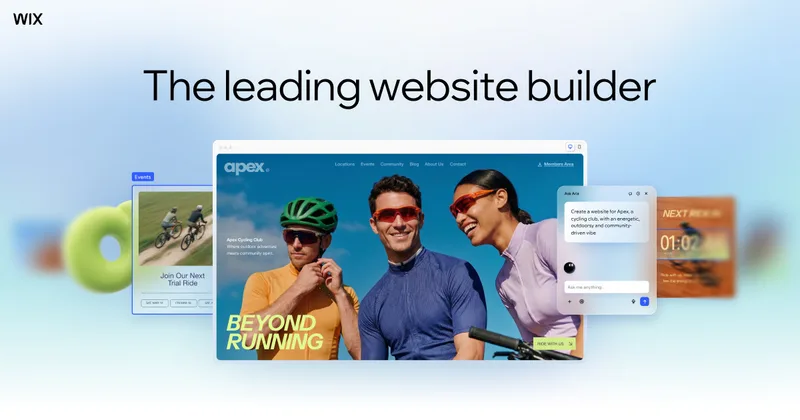
Wix offers a free plan with its drag-and-drop editor, a wixsite.com address and Wix ads, with a custom domain on Premium plans.
Read our full take ↓WordPress.com7.3/10
WordPress.com offers a free plan with 1 GB of storage and unlimited pages and posts on a WordPress.com subdomain.
Read our full take ↓Carrd6.8/10
Carrd builds single-page sites and link pages, free for up to 3 sites on a carrd.co address.
Read our full take ↓- WixBest Overall Free Builder7.8
- WordPress.comBest for Blogs and Content Sites7.3
- CarrdBest for One-Page Sites6.8
- WebnodeBest for Multi-Language Starter Sites5.5
- StrikinglyBest for Simple One-Page Business Sites6.0
- SITE123Best Budget Option for Quick Setups5.3
- Google SitesBest for Simple Internal and Portfolio Pages5.5
| Product | Our score | Best for | Link |
|---|---|---|---|
| Best Overall Free Builder Wix | 7.8 | Beginners who want design freedom and room to upgrade | Check Wix |
| Best for Blogs and Content Sites WordPress.com | 7.3 | Bloggers and writers who want a content-first site | Check WordPress.com |
| Best for One-Page Sites Carrd | 6.8 | Portfolios, link pages and simple landing pages | Check Carrd |
| Best for Multi-Language Starter Sites Webnode | 5.5 | Small brochure sites that need many pages | Check Webnode |
| Best for Simple One-Page Business Sites Strikingly | 6.0 | Freelancers and small businesses needing a quick landing site | Check Strikingly |
| Best Budget Option for Quick Setups SITE123 | 5.3 | First-time builders who want a guided setup | Check SITE123 |
| Best for Simple Internal and Portfolio Pages Google Sites | 5.5 | Class pages, project hubs and simple personal sites | Check Google |
1. Wix — Best Overall Free Builder
What we like
- Wix's support pages describe building a site for free with no time limit
- Large template library and drag-and-drop editor
- Premium plans add a custom domain and remove Wix ads, per Wix
- A clear upgrade path to online payments
Keep in mind
- Wix says free sites show Wix ads on every page
- The free address is a non-customizable wixsite.com name
- Wix says an expired Premium plan reverts the site to a free URL and disconnects the custom domain
Wix is the default answer for beginners. Its support pages put free sites at up to 500 MB of storage, with Wix ads and a Wix-branded address, and say Premium plans connect a custom domain and remove the ads.
Bandwidth figures differed between Wix pages, so we print only the storage number. Wix states that a custom domain is free for the first year on paid plans and renews at the standard rate afterward. For a head-to-head against a paid rival, see our [Wix vs Squarespace](/software/wix-vs-squarespace/) comparison.
Skip it if you need the free site to look unbranded or run on your own domain, because both need a paid plan.
2. WordPress.com — Best for Blogs and Content Sites
What we like
- WordPress.com's pricing page lists 1 GB of storage and unlimited pages and posts on Free
- The free plan has no expiration date, per the vendor
- Built on open-source WordPress
- Basic site stats for the last 7 days are included
Keep in mind
- No custom domain on the free plan
- Plugin installation needs a paid plan
- The free plan does not remove ads for visitors, per WordPress.com
WordPress.com is strongest where content matters. The pricing page lists a free plan with 1 GB of storage, unlimited pages and posts and a WordPress.com subdomain, with older free sites created before 31 March 2022 keeping 3 GB.
Plugins and a custom domain are paid features, so the free tier is best treated as a place to start writing. It is a different product from self-hosted WordPress, which needs separate hosting.
Skip it if you want to install plugins or run a store without paying.
3. Carrd — Best for One-Page Sites
What we like
- Free for up to three sites, per Carrd's own pages
- Fast to build a simple one-pager
- Paid tiers are low priced according to comparison pages we saw
Keep in mind
- The free plan has no custom domain or contact form, per Carrd
- Free sites carry a small Made with Carrd badge
- Not designed for multi-page sites or stores
Carrd does one thing: single-page sites. Its pages say the free plan covers up to 3 sites on a carrd.co subdomain, and the free tier leaves out custom domains, contact forms and third-party embeds.
Sources disagreed on the cheapest paid tier, so we print no price; check Carrd's pricing page.
Skip it if you need several pages, a blog or an online store.
4. Webnode — Best for Multi-Language Starter Sites
What we like
- Webnode's features page lists unlimited pages on the free plan
- Webnode says it does not place ads on your site
- Paid plans add a custom domain
Keep in mind
- Webnode's support article gives 100 MB of free storage, a small allowance
- Free sites carry Webnode branding and a subdomain
- Webnode's own pages disagree on free storage and bandwidth figures
Webnode's free plan trades storage for page count. Its features page lists unlimited pages on a Webnode subdomain, while its bandwidth and disk-space support article gives free storage as 100 MB. Another Webnode blog post listed different figures, so check the pricing page before you rely on them.
The company says it keeps sites ad-free, though you may add your own ads. Webnode is a partner link on this page.
Skip it if you plan image-heavy pages, because 100 MB runs out quickly.
5. Strikingly — Best for Simple One-Page Business Sites
- Free plan with Strikingly domain
- 500 MB per site on Free
What we like
- Strikingly's pages describe a free plan with no time limit
- A support plan comparison lists 500 MB of storage per site on Free
- Paid tiers add a custom domain and, on Pro, remove branding
Keep in mind
- Custom domains are not available on Free, per Strikingly's plan comparison
- Page limits on Free were stated differently across sources
- Branding stays on Free and Limited plans
Strikingly is aimed at quick one-page sites. A Strikingly support comparison lists 5 GB of monthly bandwidth and 500 MB of storage per site on Free, with custom domains starting on the Limited plan and branding removal on Pro.
That comparison was labeled internal and its age is unclear, so verify the numbers on the pricing page. A blog post cited five pages per site on Free, which we could not confirm. Strikingly is a partner link on this page.
Skip it if you want a large multi-page site on the free plan.
6. SITE123 — Best Budget Option for Quick Setups
What we like
- SITE123 says every site is free to use indefinitely
- Guided editing suits first-time builders
- Premium adds a free domain for the first year with a 12-month package, per the vendor
Keep in mind
- Plugins and custom code need a Premium plan, per SITE123
- Free storage and bandwidth are small, at 250 MB each according to the pricing page results we saw
- A SITE123 support page lists a 200-page cap while another says unlimited
SITE123 prioritizes simplicity over flexibility. Its pricing results list 250 MB of storage and 250 MB of bandwidth on the free plan, and Premium raises both to 3 GB and lets you connect your own domain.
The page limit appears as 200 pages in one support article and as unlimited in another, so treat it as uncertain. SITE123 is a partner link on this page.
Skip it if you want design control beyond the guided editor.
7. Google Sites — Best for Simple Internal and Portfolio Pages
What we like
- Google's help pages say a Google account is all you need to create a site
- Google says the owner can connect up to five custom domains to one site
- Google's current help describes new Sites as not counting against Drive storage
Keep in mind
- Limited design options and no store features
- Sources conflict on whether Google sells domains, so you may need a registrar
- DNS changes can take up to 48 hours to show, per Google
Google Sites is the plainest builder on this list. Google's help pages say you need only a Google account, and they describe connecting custom domains through Settings, with up to five domains per site and changes taking up to 48 hours.
Older pages cite a 100 MB per-site limit, but Google's current help says new Sites does not count against Drive storage, so we treat the older number as outdated. It is built for simple pages, not marketing sites or stores.
Skip it if you need blog features, templates with strong design control or ecommerce.
Comparison table
We compiled this table from vendor pages. A dash means we could not confirm the detail.
| Builder | Free storage | Custom domain on Free | Branding or ads on Free | Pages on Free |
|---|---|---|---|---|
| Wix | 500 MB | No | Wix ads | — |
| WordPress.com | 1 GB | No | Subdomain | Unlimited |
| Carrd | — | No | Small badge | One page, 3 sites |
| Webnode | 100 MB | No | Webnode branding | Unlimited |
| Strikingly | 500 MB per site | No | Strikingly branding | — |
| SITE123 | 250 MB | No | SITE123 tag on free sites | Sources differ |
| Google Sites | Not counted against Drive | Yes, per Google | Google address by default | — |
What every free plan has in common
Most of these keep your site on the builder’s own address, and all but Google Sites need a paid plan for a custom domain. That matters for trust and for search, because a branded subdomain is harder to carry with you. If you expect to grow, treat the free plan as a trial and check what the upgrade costs on the pricing page.
Choosing by goal
A blog. WordPress.com has the most content-first design, and its free plan lists unlimited posts.
A portfolio or link page. Carrd is the lightest option for one page.
A small business site. Wix has the strongest mix of templates and upgrade options, and Strikingly or SITE123 suit simpler setups. Once the site is live, our best SEO tools guide covers how to get found.
An online store. Free plans generally do not include checkout, so expect to move to a paid tier.
Keeping the site healthy
Free hosting offers no guarantees you control, so monitor your site. Our UptimeRobot review looks at one monitoring service, and our Wix vs Squarespace comparison helps if you outgrow the free tier and want to price a paid builder.
Limits to read before you build
Storage figures are small and some vendors list different numbers on different pages. Image-heavy sites hit 100 MB or 250 MB quickly. Read the vendor’s limits page, resize images, and upgrade before launch if you need your own domain.
Frequently Asked Questions
What is the best free website builder?
Wix and WordPress.com suit most beginners, Carrd suits one-page sites, and Webnode, Strikingly and SITE123 are simpler options with small free allowances. The best choice depends on whether you need a blog, a portfolio or a small business site.
Can I use my own domain on a free plan?
On most of them, no. Wix, WordPress.com, Carrd, Webnode and Strikingly list custom domains as a paid feature, and SITE123 says connecting your own domain needs Premium. Google Sites says the owner can connect custom domains, but you buy the domain elsewhere.
Do free website builders show ads?
Wix says its free sites show Wix ads on every page. WordPress.com says the free plan does not remove ads for visitors. Webnode says it does not place ads on your site.
Are free website builders good for business?
They work for testing an idea, but the subdomain, branding and storage caps make a paid plan the usual next step. Our best SEO tools guide covers what to add once the site is live.
How do I know my site is up?
An uptime monitor can alert you to outages. Our UptimeRobot review covers one option.
Can I move my site later?
Moving between builders usually means rebuilding pages by hand. WordPress.com is built on open-source WordPress, which makes a later move to self-hosting more practical than most.
Final Verdict
Pick Wix or WordPress.com if you want a full site with a clear upgrade path, Carrd for a single page, and treat Webnode, Strikingly and SITE123 as starters with small allowances. Plan on a paid plan if you need your own domain, and confirm each limit on the vendor's page before you build.
Sources We Checked
Specs and features in this guide come from these manufacturer pages and independent sources, checked on Oct 19, 2026.