Best CRM for Small Business (2026): 7 Picks, 2 Free Tiers
We may earn a commission when you buy through links on our site, at no extra cost to you. Learn more

Quick answer
HubSpot is a common place to start because it has a free tier and a path to paid tiers. Zoho CRM is a good low-cost alternative with a free edition for up to three users, and Pipedrive suits teams that live in a sales pipeline. Pick Less Annoying CRM if you want a simple flat per-user plan.
A small business CRM has a narrow job: keep contacts, deals and follow-ups in one place so nothing slips. The hard part is picking a tool that stays affordable and simple as the team grows.
We compared vendor pricing pages, product documentation and reviewer commentary for seven options. We did not test any of them ourselves, so every limit and price below is attributed to the vendor and was read on 2026-10-17. Prices change, so confirm them before you buy.
Below you will find a comparison table, seven picks with their limits and who should skip them, common complaints, and scenarios that match tools to team types.
Our Top Picks
HubSpot CRM7.5/10
A free CRM with a paid Starter tier, aimed at small teams that want contacts, deals and email tracking in one place.
Read our full take ↓
Zoho CRM7.8/10
A configurable CRM with a free edition for small teams and paid editions for automation and customization.
Read our full take ↓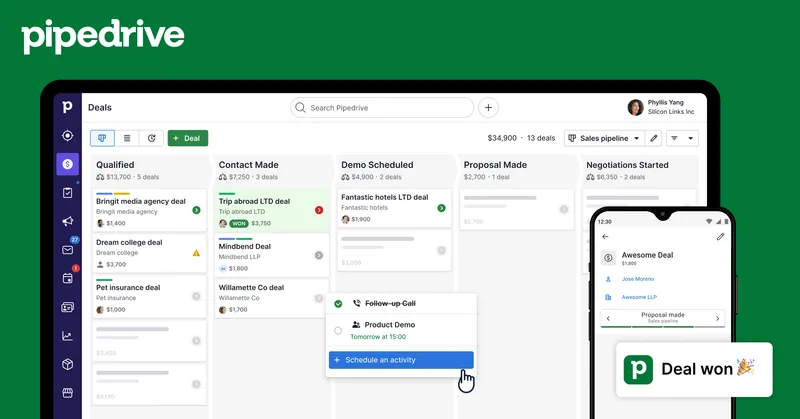
Pipedrive6.5/10
A sales-first CRM built around visual deal pipelines, with four paid plans and a free trial.
Read our full take ↓| Product | Our score | Best for | Link |
|---|---|---|---|
| Best Free Start HubSpot CRM | 7.5 | Small teams that want to start free and add marketing and service tools later | Check HubSpot |
| Best Low-Cost Free Edition Zoho CRM | 7.8 | Budget-conscious teams of up to three who want leads, deals and tasks without paying | Check Zoho |
| Best for Sales Pipelines Pipedrive | 6.5 | Small sales teams that track every deal through stages and want a tool that stays focused on selling | Check Pipedrive |
| Best for Visual Workflows monday CRM | 6.5 | Teams that already manage projects in boards and want sales tracking in the same style | Check monday.com |
| Best for Room to Scale Salesforce Starter Suite | 6.5 | Growing businesses that expect to need service and marketing in the same system and an upgrade path | Check Salesforce |
| Best for Simplicity Less Annoying CRM | 6.3 | Very small teams and solo owners who want contacts, notes and a pipeline without learning a big system | Check Less Annoying CRM |
| Best for Agencies Selling Services GoHighLevel | 6.0 | Agencies and consultants who run several client accounts and want CRM, follow-up and funnels in one platform | Check GoHighLevel |
1. HubSpot CRM — Best Free Start
Best for: Small teams that want to start free and add marketing and service tools later
What we like
- Free tier described by HubSpot as having no expiration date
- Clear upgrade path to a Starter tier with more usage
- Large ecosystem of integrations and help content
Keep in mind
- Free tier is capped at 10 custom properties and shows HubSpot branding, per HubSpot's comparison table
- Cost can climb as you add paid hubs and seats
- HubSpot's marketing pages and legal terms describe free-tier user limits differently
HubSpot's free CRM is the usual first stop. The vendor's pages list caps of 1,000 contacts and two users, and its comparison table shows 10 custom properties on the free tier against 1,000 on Starter. HubSpot's pages list Starter at between $15 and $20 per seat per month depending on billing and promotions, so confirm the live figure.
The strength is how much sits behind one login: contacts, deals, email tracking and a growing set of AI features, which the vendor says include a monthly credit allowance on Starter. Reviewers often note that cost climbs when you add more paid products, and community posts say accounts created before September 2024 may have different contact limits.
Skip it if you already know you need heavy customization and want predictable pricing, because add-ons and seats can add up.
2. Zoho CRM — Best Low-Cost Free Edition
Best for: Budget-conscious teams of up to three who want leads, deals and tasks without paying
What we like
- Free edition with no trial period or credit card, per Zoho
- Leads, deals, contacts, tasks and events all included
- Wide range of editions as the team grows
Keep in mind
- Interface can feel dense compared with simpler tools
- Edition names and prices appear differently across Zoho pages
Zoho says its free edition supports up to 3 users, storage for 5,000 contact records and 150 emails a day, and that it needs no credit card. The pricing page also lists 5,000 API calls a day on the free tier.
Paid editions add automation and customization, but the prices shown on different Zoho pages did not match when we read them, so we have not printed paid figures. That is a reason to read the live pricing page and the feature comparison before choosing an edition.
Skip it if you want a very simple tool with few settings, because the range of options takes time to learn.
3. Pipedrive — Best for Sales Pipelines
Best for: Small sales teams that track every deal through stages and want a tool that stays focused on selling
What we like
- Pipeline-first design keeps the focus on deals
- Free trial, with no credit card required, per Pipedrive
- Four paid plans make the step up clear
Keep in mind
- No free plan, only a trial
- Email automation and e-signatures start on Growth, not the entry plan
Pipedrive lists Lite at $14 per seat per month, billed annually, with a 14-day free trial that needs no credit card. Growth adds email automation and follow-ups and built-in e-signatures for quotes and contracts, according to the pricing page. Premium and Ultimate add full-cycle sales tools, and Projects is included from Premium.
It is a good fit when the sales process is the whole business. The trade-off is that the entry plan is narrower than the free tiers above, and automation sits one plan higher.
Skip it if you want one tool for support, marketing and project work, because Pipedrive centres on selling.
4. monday CRM — Best for Visual Workflows
Best for: Teams that already manage projects in boards and want sales tracking in the same style
What we like
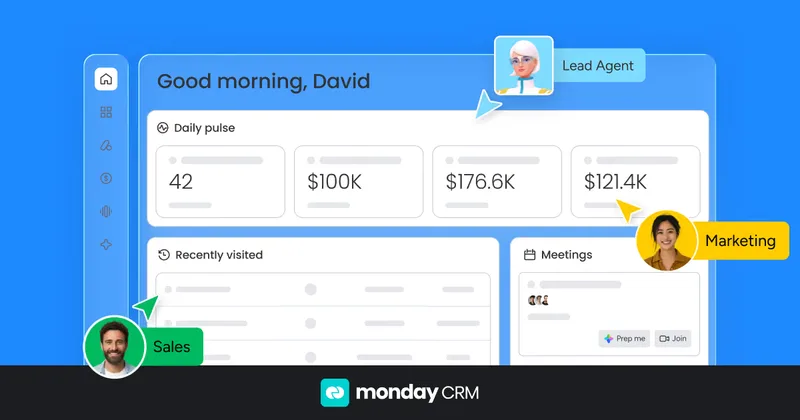
- Drag-and-drop pipeline with customizable stages
- Automations for lead assignment and follow-ups without code
- Familiar board layout if you already use monday.com
Keep in mind
- Automation volume is capped by plan, from 250 monthly actions on Standard upward
- Reviewers mention fewer integrations than Salesforce and limited customization on Basic
monday.com's small business pages describe a visual pipeline, round-robin lead routing and no-code automations, and say Basic includes unlimited pipelines. Automation volume is tiered, from 250 monthly actions on Standard to as many as 250,000 on Enterprise, according to monday.com.
Prices differ across the monday.com pages we read, so we have not printed them; check the live pricing page. Some AI features may depend on plan or require an add-on, per the vendor.
Skip it if you want a CRM with deep built-in sales reporting out of the box and no interest in boards.
5. Salesforce Starter Suite — Best for Room to Scale
Best for: Growing businesses that expect to need service and marketing in the same system and an upgrade path
What we like
- Sales, service, marketing and commerce tools in one app
- Upgrade path to Pro Suite, which adds custom objects and process automation
- Free 30-day trial, no credit card required, per Salesforce
Keep in mind
- More to learn than simpler tools
- Commerce features carry transaction fees, per Salesforce
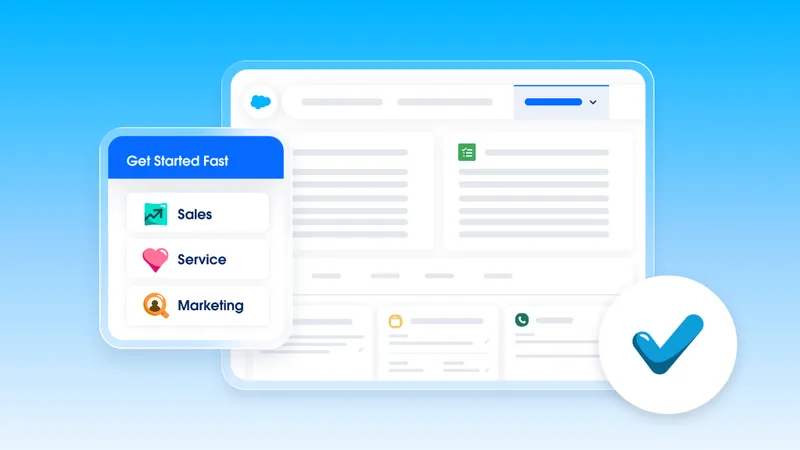
Salesforce pages list Starter Suite at $25 per user per month and offer a 30-day free trial with no credit card. The suite covers lead routing, case management, email marketing templates and an AI assistant, plus a free Slack workspace connected to the CRM, according to the vendor.
The appeal is the path: Pro Suite adds lead scoring, multichannel marketing automation and custom objects when you outgrow the starter tier. Commerce features, such as payment links and a storefront, are subject to transaction fees.
Skip it if you want to be productive in an afternoon without any setup, because the breadth brings complexity.
6. Less Annoying CRM — Best for Simplicity
Best for: Very small teams and solo owners who want contacts, notes and a pipeline without learning a big system
What we like
- One plan, one price, no contracts, per the vendor
- Email and phone support free for everyone, including trial users
- Custom pipelines and fields included
Keep in mind
- Fewer advanced automation and marketing features than larger suites
- No free plan, only a trial
Less Annoying CRM charges $15 per user per month on a single plan, billed monthly with no contracts and no discounts for prepayment, according to its pricing page. Each user gets 25 GB of storage for attachments, and the trial lasts 30 days without payment details.
Support by email and phone is free to everyone, trial users included, which stands out for a small team without an IT person. The vendor warns that future optional extras may cost more but will sit outside the core CRM.
Skip it if you need built-in marketing automation, sales forecasting or a deep integration marketplace.
7. GoHighLevel — Best for Agencies Selling Services
Best for: Agencies and consultants who run several client accounts and want CRM, follow-up and funnels in one platform
What we like
- Unlimited contacts and users on its listed plans, per the pricing page
- CRM, funnels and messaging in one account
- Sub-accounts suit agencies running client work
Keep in mind
- Aimed at agencies, so a single-company owner pays for features they may not use
- Plans start at $97 a month, which is far above per-seat CRMs for a solo user
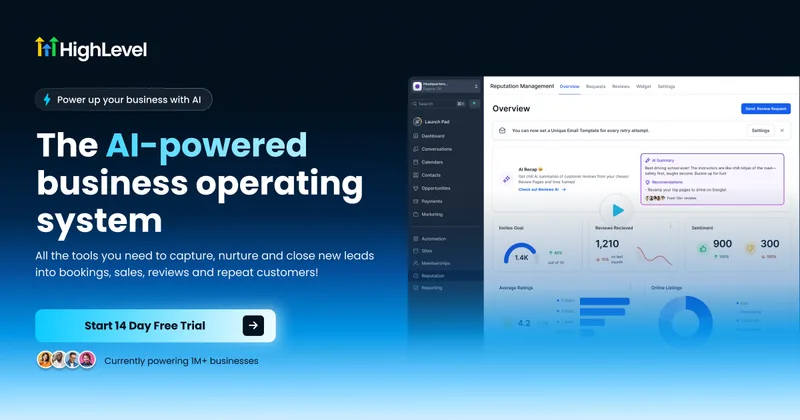
GoHighLevel's pricing page lists three plans, starting at $97 a month, with unlimited contacts and users on all of them. Starter includes 3 sub-accounts, and the higher plans add unlimited sub-accounts and API access.
It is a different type of product from a plain CRM. It bundles a CRM with funnels, calendars and messaging, so the value is highest for agencies running client accounts. Our [GoHighLevel pricing guide](/work/gohighlevel-pricing/) explains the plans in detail.
Skip it if you run one small business and only need contacts and deals, because a per-seat CRM costs less.
Comparison table
| CRM | Free option | Entry price as listed | Deciding limit |
|---|---|---|---|
| HubSpot CRM | Free tier | Starter $15 to $20 per seat monthly, varies by page | 10 custom properties on free |
| Zoho CRM | Free edition, 3 users | Check the pricing page | 150 emails a day on free |
| Pipedrive | 14-day trial | Lite $14 per seat per month, billed annually | Automation starts on Growth |
| monday CRM | Check the pricing page | Check the pricing page | 250 monthly automations on Standard |
| Salesforce Starter Suite | 30-day trial | $25 per user per month | Commerce transaction fees |
| Less Annoying CRM | 30-day trial | $15 per user per month | Fewer advanced features |
| GoHighLevel | Check the pricing page | From $97 a month | Built for agencies |
All figures were read from vendor pages on 2026-10-17 and can change.
Common complaints
Across vendor documentation and reviewer commentary, a few patterns repeat. Free tiers carry caps on users, contacts or custom fields that arrive sooner than expected. Automation and e-signatures often sit one plan above the entry tier. Larger suites take more time to set up, and add-ons raise the bill gradually. Vendors also publish conflicting numbers across pages, which is why we left several prices out.
How to choose by team type
Solo owner or two-person shop. Start with HubSpot’s free tier, Zoho’s free edition or Less Annoying CRM, and decide on whether you want fewer settings or more control.
Sales team of three to ten. Pipedrive or monday CRM fit teams that track deals in stages. If scheduling is part of the sales process, see our Lunacal review for a booking tool that can sit alongside a CRM.
Agency or consultancy. GoHighLevel bundles client accounts, funnels and messaging, and our GoHighLevel pricing guide explains the plans.
Business that expects to grow. Salesforce Starter Suite or HubSpot Starter gives a path to service and marketing tools without moving data later.
Before you commit
Import a real sample of contacts, build one pipeline, and test the follow-up reminders you will actually use. Check what the next plan up costs, because the step from entry to automation is where bills change most. Keep an export of your data, whichever tool you choose.
Frequently Asked Questions
What is the best free CRM for a small business?
HubSpot and Zoho CRM both have free options. HubSpot lists caps of 1,000 contacts and two users on its free tier, while Zoho says its free edition supports up to three users and 5,000 contact records. Check each vendor's current limits before relying on them.
Do I need a CRM or just a spreadsheet?
A spreadsheet works for a handful of contacts. A CRM becomes worth it when several people need to see the same history, follow-ups slip, or you want reminders and a pipeline view. Most vendors above offer a trial or free tier to check.
How much does a small business CRM cost?
It varies by vendor and plan. Less Annoying CRM lists $15 per user per month and Pipedrive lists Lite at $14 per seat per month billed annually, while GoHighLevel starts at $97 a month for a full platform. Other vendors showed conflicting figures, so check each pricing page.
Can I move my contacts later?
Most CRMs support CSV import and export, but fields, history and automations rarely transfer cleanly. Keep a regular export of your contacts and deals and clean your data before you migrate.
Is GoHighLevel a CRM?
It includes a CRM, but it is positioned as an all-in-one platform for agencies, with funnels, calendars and messaging. Single-business owners often find a standard CRM simpler.
What should I check before choosing?
Check user and contact caps, which plan unlocks automation, how much support costs, and how easy it is to export your data. Then run the trial with real contacts rather than sample data.
Final Verdict
Start with HubSpot or Zoho CRM if you want a free tier, choose Pipedrive if selling is the whole job, and pick Less Annoying CRM for a flat, simple plan. Salesforce Starter Suite suits businesses that expect to grow into a larger system, and GoHighLevel suits agencies. Run a trial with your real contacts, and confirm current prices on each pricing page.
Sources We Checked
Specs and features in this guide come from these manufacturer pages and independent sources, checked on Oct 17, 2026.